
Fraction Simplification by Division
Loading the math board and drawing, please wait…
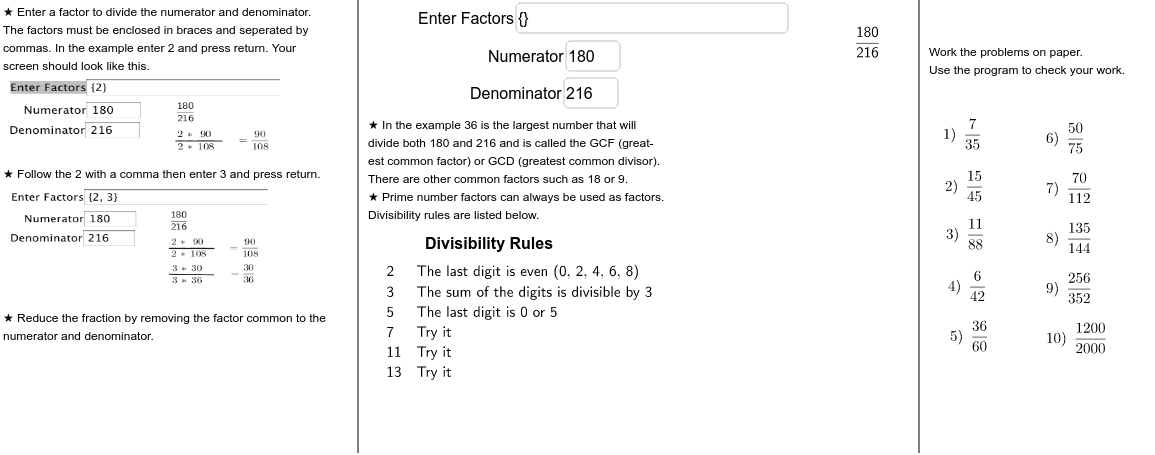
This example demonstrates the process of simplifying fractions through division. Key mathematical concepts include fractions and division. The GCD (Greatest Common Divisor) command and various geometric objects are used to illustrate the simplification steps. Suitable for high-grade elementary or junior high school students.
GeoGebra Commands & Parameters
Textfield(list1) → inputBox1Textfield(B1) → inputBox2Textfield(C1) → inputBox3PrimeFactors(C1) → list3PrimeFactors(B1) → list4Intersection(list3, list4) → list5CountIf(x ≟ 2, list3) → aCountIf(x ≟ 2, list4) → bIf(a ≤ b, a, b) → cSector(d, 0*°, 180*°) → fGCD(B1, C1) → gTableText({list6, list7}, "v") → text14Point(xAxis) → HOrthogonalLine(H, xAxis) → kPoint(xAxis) → LPoint(xAxis) → MOrthogonalLine(M, xAxis) → l
AI Drawing Prompt Reference
Draw a diagram showing the simplification of fractions, with two input boxes for fractions, displaying prime factorization results and their intersection, a sector representing the GCD, and points and perpendicular lines on the coordinate axis to illustrate the simplification process.
The prompt above was compiled from the original drawing commands and is for reference only.