
Study Generating Random Numbers: Simulation with GeoGebra
Loading the math board and drawing, please wait…
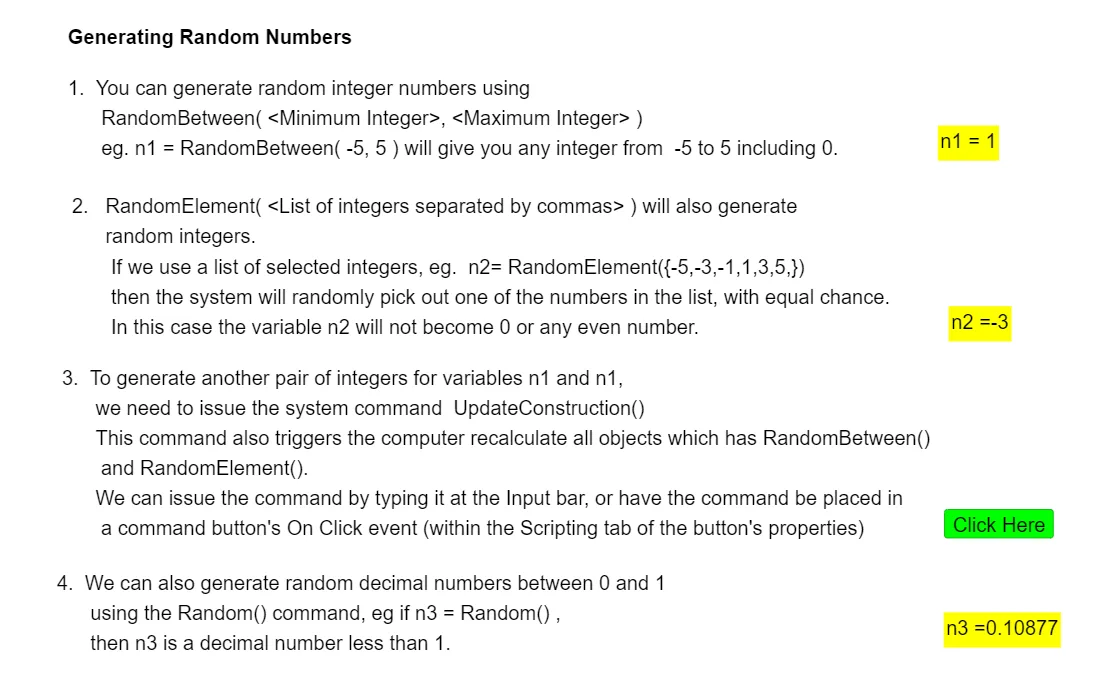
This example demonstrates how to generate random numbers in GeoGebra for simulations and random experiments. It provides an interactive tutorial where users can observe the generation of random numbers through buttons and text displays. The core mathematical concepts include random numbers, random experiments, arithmetic operations such as multiplication, and the use of cosine in random contexts. The construction uses GeoGebra commands Random and RandomElement, with objects like text1-text8, n1-n3, and a button (button1) to trigger updates. Suitable for middle school or high school mathematics and statistics classes, this activity helps students understand probability and random simulation, and can be used for teacher demonstrations or student self-exploration.
GeoGebra Commands & Parameters
Random(-5, 5) → n1RandomElement({-5, -3, -1, 1, 3, 5}) → n2
AI Drawing Prompt Reference
Create an educational interface for random number simulation. In the center, display two randomly generated numbers: one is any real number between -5 and 5, and the other is an integer randomly chosen from the set {-5, -3, -1, 1, 3, 5}. Show each number in a large text label with a caption indicating its type. Below, place a button that, when clicked, regenerates both numbers. Use a clean background with light grid lines or axes to suggest the range, and add a title explaining this is a random number generation experiment for probability and statistics teaching.
The prompt above was compiled from the original drawing commands and is for reference only.