
SSS: Exercise 2
Loading the math board and drawing, please wait…
In collections
Congruence (CO) Cluster
Congruence (Vol 1)
Congruence (Vol 1) Over 80 Resources
CCSS High School: Geometry (Congruence) Volume 1 S N ATTAR
Geometry (Congruence) Volume 1
CCSS High School: Geometry (Congruence) Volume 1
CCSS High School: Geometry (Congruence) Volume 1
CCSS High School: Geometry (Congruence) Volume 1
CCSS High School: Geometry (Congruence) Volume 1
CCSS High School: Geometry (Congruence) Volume 1
CCSS High School: Geometry (Congruence) Volume 1
CCSS High School: Geometry (Congruence) Volume 1
CCSS High School: Geometry (Congruence) Volume 1
CCSS High School: Geometry (Congruence) Volume 1
CCSS High School: Geometry (Congruence) Volume 1
CCSS High School: Geometry (Congruence) Volume 1
CCSS High School: Geometry (Congruence) Volume 1
Triangle Congruence Theorems 1
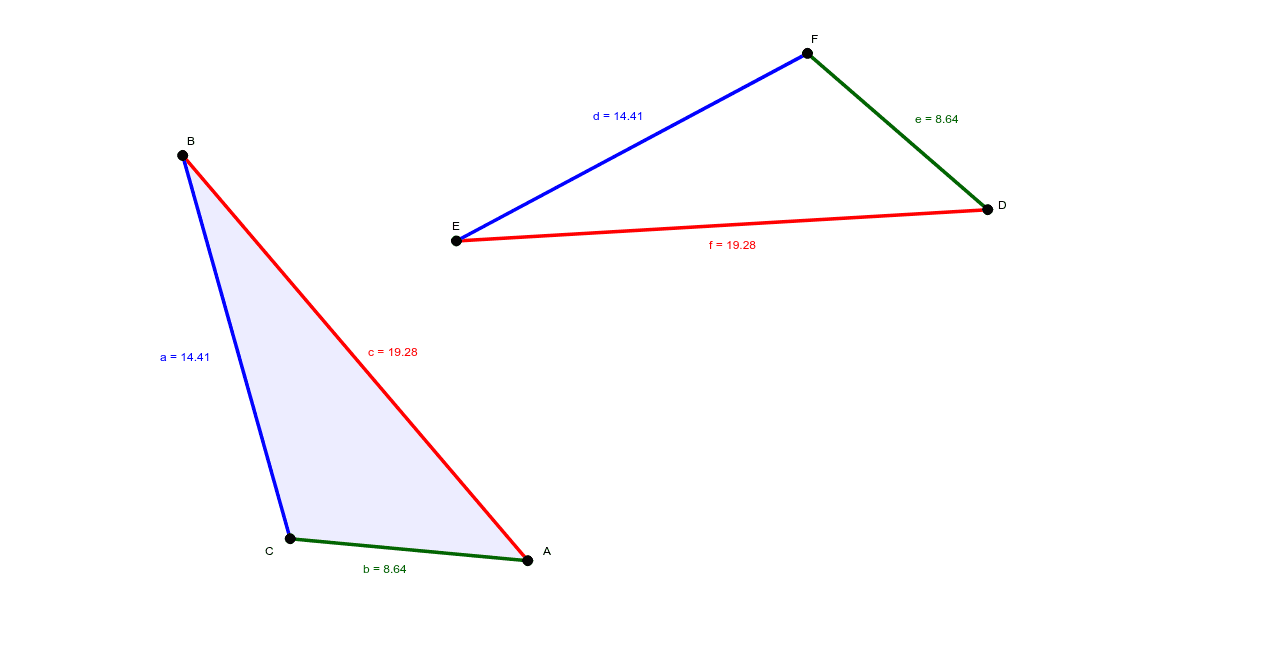
This example demonstrates the application of the SSS (Side-Side-Side) congruence criterion in triangle congruence. Key math concepts include triangle congruence criteria, geometric transformations, and coordinate geometry. Construction highlights the use of GeoGebra commands and objects such as Segment, Line, Circle, Intersect, Polygon, and Mirror. Suitable for high school students and teachers learning geometric transformations and triangle congruence.
GeoGebra Commands & Parameters
Segment(A, B) → cSegment(B, C) → aSegment(C, A) → bLine(D_1, E_1) → d_1Circle(E_1, c) → e_2Intersect(e_2, d_1, 1) → F_1Segment(F_1, E_1) → f_2Circle(E_1, a) → gCircle(F_1, b) → hIntersect(g, h, 2) → GSegment(F_1, G) → iSegment(G, E_1) → jPolygon(A, B, C) → poly1, c_1, a_1, b_1Polygon(F_1, E_1, G) → poly2, g_1, f_1, e_1Line((2, 0), (12, 16)) → lMirror(F_1, l) → DMirror(E_1, l) → EMirror(G, l) → FPolygon(D, E, F) → poly2', g', f', e'Mirror(F_1, l) → F'_1Mirror(E_1, l) → E'_1Segment(F'_1, E'_1) → fMirror(G, l) → G'_1Mirror(E_1, l) → E'_2Segment(G'_1, E'_2) → dMirror(F_1, l) → F'_2Mirror(G, l) → G'_2Segment(F'_2, G'_2) → e
AI Drawing Prompt Reference
Draw a triangle and create three circles based on its side lengths. Find the intersection points of these circles to form a new triangle. Connect each vertex of the original triangle to the corresponding vertex of the new triangle. Then, draw a parallelogram above a horizontal line and reflect the new triangle and its connecting segments across this line to show the symmetrical results.
The prompt above was compiled from the original drawing commands and is for reference only.