
Squares and Parallelograms Tiling
Loading the math board and drawing, please wait…
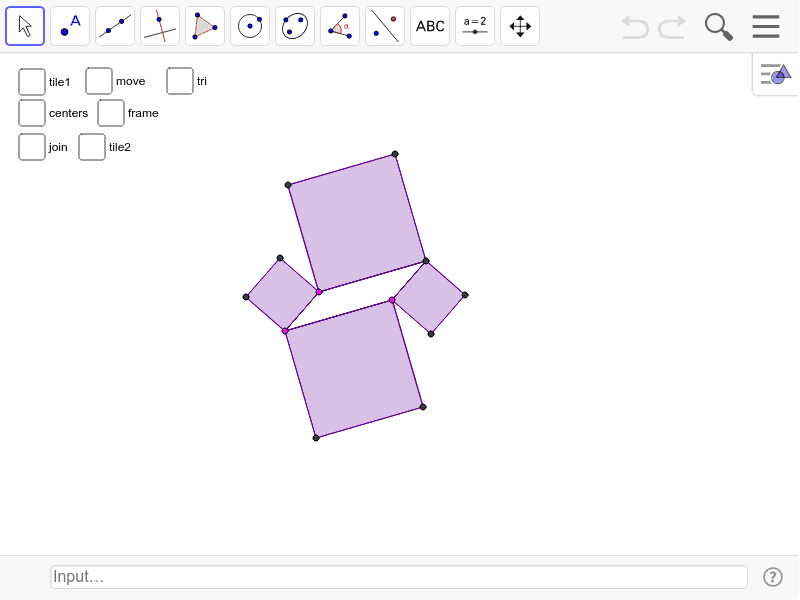
This example demonstrates tiling a plane using squares and parallelograms, involving core math concepts like polygon assembly, vector operations, geometric transformations, and area calculation. Key GeoGebra commands used include Segment, Line, Intersect, Polygon, Midpoint, Vector, Sequence, Rotate, and OrthogonalLine. Suitable for high school mathematics teaching, exploring spatial filling, geometric transformations, and stochastic processes in probability statistics.
GeoGebra Commands & Parameters
Segment(A, B) → a_2Segment(A, C) → b_2Line(B, b_2) → c_2Line(C, a_2) → d_2Intersect(c_2, d_2) → DSegment(C, D) → e_2Segment(B, D) → fPolygon(A, C, 4) → poly1, g, h, i, j, E, FPolygon(C, D, 4) → poly2, k, l, m, n, G, HPolygon(D, B, 4) → poly3, p, q, r, s, I, JPolygon(B, A, 4) → poly4, t, a_1, b_1, c_1, K, LMidpoint(F, C) → MMidpoint(G, C) → NMidpoint(J, B) → OMidpoint(K, B) → PVector(E, L) → uVector(K, J) → vSequence(Sequence[Translate[tile1, Vector[(n * u) + (m * v)]], n, -3, 3], m, -3, 3) → list1Polygon(P, O, 4) → poly5, d_1, e_1, f_1, g_1, Q, RRotate(poly5, 90*°, O) → poly5'Rotate(poly5, 180*°, O) → poly5'_1Rotate(poly5, 270*°, O) → poly5'_2OrthogonalLine(M, b_2) → h_1OrthogonalLine(P, a_2) → i_1Intersect(i_1, h_1) → SSegment(M, S) → aSegment(P, S) → bOrthogonalLine(N, e_2) → l_1OrthogonalLine(O, f) → m_1Intersect(l_1, m_1) → TSegment(N, T) → cSegment(O, T) → dSegment(S, T) → eRotate(set1, 90*°, O) → set2Rotate(set1, 180*°, O) → set3Rotate(set1, 270*°, O) → set4Sequence(Sequence[Translate[tile2, Vector[(n * u) + (m * v)]], n, -3, 3], m, -3, 3) → list2Polygon(E, A, L) → poly6, l_2, e_3, a_3Polygon(B, K, J) → poly7, j_2, b_3, k_2
AI Drawing Prompt Reference
Create a tiling pattern composed of squares and parallelograms. Start with a parallelogram defined by two adjacent segments, then complete it with a diagonal intersection to form four squares sharing a common vertex. Mark midpoints on the outer sides of these squares and connect them to form an inner square framework. From these midpoints, draw perpendicular lines that intersect at a central point, then connect this point to adjacent midpoints to create a set of rotationally symmetric quadrilateral units. Finally, translate the entire basic unit along two non-parallel directions to cover a grid area, and add two triangles at the corners to complete the tessellation.
The prompt above was compiled from the original drawing commands and is for reference only.