
Square Template: Exploring Geometric Properties
Loading the math board and drawing, please wait…
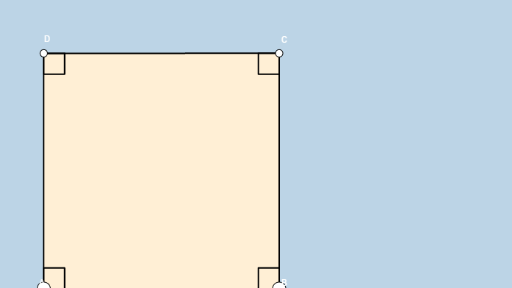
① This applet presents a square with its basic geometric elements, serving as an interactive template for students to discover properties unique to a square. ② Core math concepts include the definition of a square (equal sides and right angles), diagonal properties, symmetry, perimeter, and area, along with classification within quadrilaterals and parallelograms. ③ Construction details: using GeoGebra commands such as Segment, Circle, OrthogonalLine, Intersect, Angle, Midpoint, and Polygon to build the square and auxiliary lines; objects include vertices A, B, C, D, sides a, b, c, d, diagonals e, f, multiple angle labels (α, β, γ, δ, etc.), and an inner polygon poly3. ④ Suitable for middle school geometry, this template enables students to manipulate and observe square properties dynamically, and can be used for guided discovery or teacher demonstrations.
GeoGebra Commands & Parameters
Segment(A, B) → aCircle(A, B) → cOrthogonalLine(A, a) → bIntersect(c, b, 2) → DOrthogonalLine(D, b) → dOrthogonalLine(B, a) → eIntersect(d, e) → CSegment(A, D) → fSegment(D, C) → gSegment(C, B) → hAngle(C, B, A) → αAngle(B, A, D) → βAngle(A, D, C) → γAngle(D, C, B) → δMidpoint(A, C) → EAngle(E, C, B) → εAngle(D, C, E) → ζAngle(E, D, C) → ηAngle(A, D, E) → θAngle(B, A, E) → ιAngle(E, B, A) → κAngle(C, B, E) → λAngle(E, A, D) → μAngle(B, E, C) → νPolygon(A, B, C, D) → poly3, a_3, b_3, c_2, d_2
AI Drawing Prompt Reference
Draw a square with labeled vertices and sides. Construct perpendicular lines from two vertices to form the other two vertices of the square. Label all the diagonals. Calculate and mark the angles at each vertex and where the diagonals intersect. Inside the square, draw a smaller quadrilateral and label its sides.
The prompt above was compiled from the original drawing commands and is for reference only.