
Area Calculation Using Distributive Property - Lesson 12
Loading the math board and drawing, please wait…
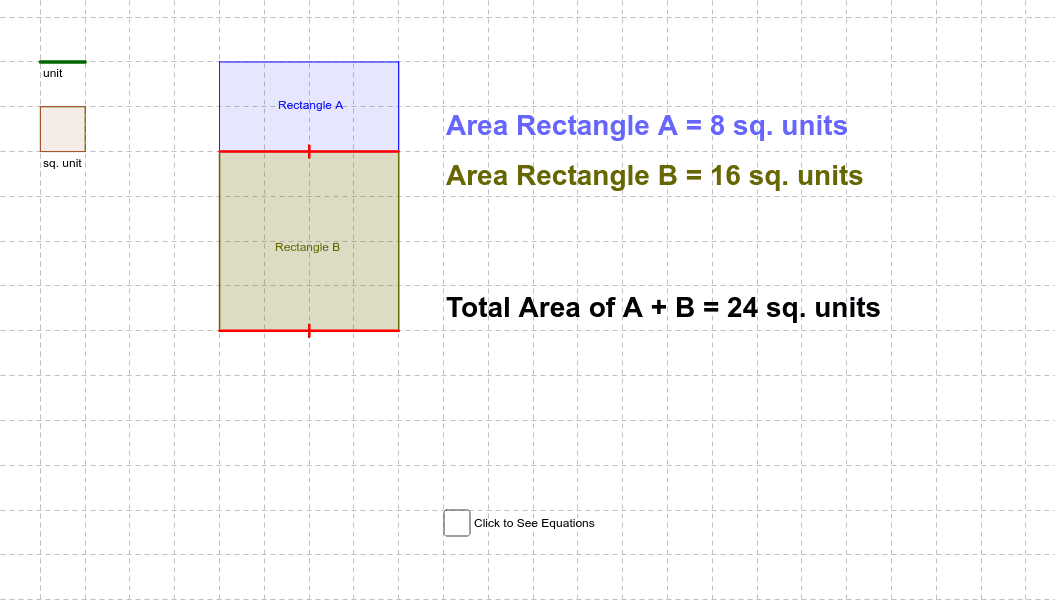
This example demonstrates the application of the distributive property in area calculation through geometric figures. Key mathematical concepts include area, function graph, and geometric construction. It uses commands like Polygon, Segment, Distance, and Length in GeoGebra. Suitable for middle school and above students to learn area calculation and geometric construction.
GeoGebra Commands & Parameters
Polygon(A, B, C, D) → poly1, a, b, c, dPolygon(B, E, F, C) → poly2, b_1, e, f, c_1Segment(B, C) → hSegment(E, F) → iSegment(G, H) → gDistance(A, D) → ADLength(c) → lenblueLength(f) → lengreenPolygon(M, N, O, P) → poly3, m, n, o, p
AI Drawing Prompt Reference
Draw a figure consisting of two adjacent rectangles, ABCD and BEFC. First, draw rectangle ABCD, then draw rectangle BEFC. Next, connect BC and EF. Finally, measure the lengths of AD and BC.
The prompt above was compiled from the original drawing commands and is for reference only.