
Square Construction Template: Geometric Construction and Mathematical Concepts
Loading the math board and drawing, please wait…
In collections
Congruence (CO) Cluster
Congruence (Vol 2)
CCSS High School: Geometry (Congruence) Volume 2
CCSS High School: Geometry (Congruence) Volume 2
CCSS High School: Geometry (Congruence) Volume 2
Geometry (Congruence) Volume 2
CCSS High School: Geometry (Congruence) Volume 2
CCSS High School: Geometry (Congruence) Volume 2
CCSS High School: Geometry (Congruence) Volume 2
CCSS High School: Geometry (Congruence) Volume 2
CCSS High School: Geometry (Congruence) Volume 2
CCSS High School: Geometry (Congruence) Volume 2
Gail LeBlancCCSS High School: Geometry (Congruence) Volume 2
CCSS High School: Geometry (Congruence) Volume 2
CCSS High School: Geometry (Congruence) Volume 2
Constructions (Compass & Straightedge)
Constructions (Compass & Straightedge)
Constructions (Compass & Straightedge)
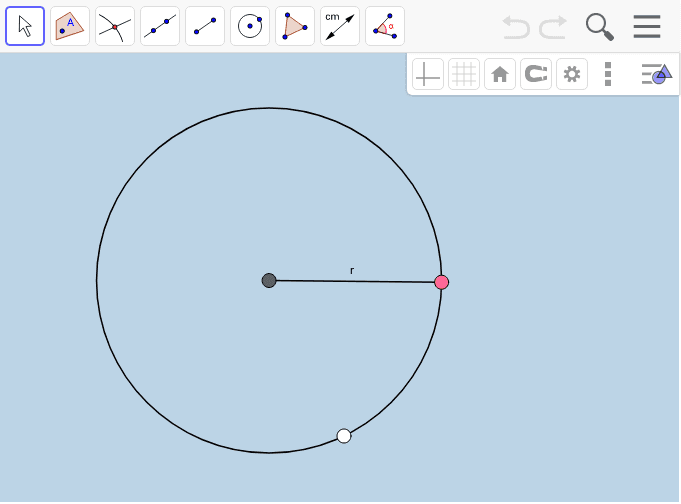
This example demonstrates how to construct a square inscribed in a circle using GeoGebra. It highlights key mathematical concepts such as the relationship between a circle and a square, the positioning of points on a circle, and verifying the radius and diameter of the circle through square construction. The construction involves using commands like Circle, Point, and Segment to locate the circle center A and points B, C, and D, along with the radius r. This activity is suitable for middle school students learning geometric construction techniques or for use in math teaching to reinforce understanding of circle and square geometry.
GeoGebra Commands & Parameters
Circle(A, B) → cPoint(c) → CSegment(A, C) → r
AI Drawing Prompt Reference
Construct a square inscribed in a circle. First, draw a circle. Then, find a point on the circle as one vertex of the square. Draw a line segment from the circle's center to this point, which is the radius of the circle.
The prompt above was compiled from the original drawing commands and is for reference only.