
Square Challenge Problem
Loading the math board and drawing, please wait…
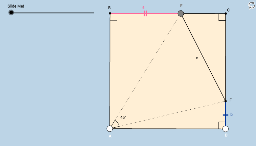
This example demonstrates a square challenge problem involving real numbers, scalene triangles, and properties of circles. Using GeoGebra commands such as Polygon, Segment, Point, etc., one can construct a square and related elements. Suitable for middle and high school students to learn geometric construction and related concepts.
GeoGebra Commands & Parameters
Polygon(A, D, 4) → poly1, a_1, b_1, c, d, C, BSegment(B, C) → ePoint(e) → ERotate(E, -45°, A) → E'Angle(E', A, E) → αRay(A, E') → fSegment(C, D) → gIntersect(f, g) → FSegment(B, E) → aSegment(E, C) → iSegment(A, E) → jSegment(A, F) → kSegment(B, A) → lSegment(A, D) → mAngle(A, B, C) → βAngle(B, C, D) → γAngle(C, D, A) → δSegment(E, F) → nSegment(C, F) → pSegment(F, D) → bAngle(B, E, F) → εRotate(B, If[0 < o ≤ 1, (o * ε), ε], E) → D'Rotate(E, If[0 < o ≤ 1, (o * ε), ε], E) → E'_1Segment(D', E'_1) → a'Rotate(F, If[1 < o ≤ 2, ((-(o - 1)) * ε), (-ε)], F) → F'Rotate(D, If[1 < o ≤ 2, ((-(o - 1)) * ε), (-ε)], F) → B'Angle(E, F, D) → ζRotate(F, If[1 < o ≤ 2, ((-(o - 1)) * ζ), (-ζ)], F) → F'_1Rotate(D, If[1 < o ≤ 2, ((-(o - 1)) * ζ), (-ζ)], F) → B'_1Segment(F'_1, B'_1) → q'
AI Drawing Prompt Reference
Draw a square ABCD, then take a point E on side BC. Rotate E 45 degrees counterclockwise around A to get E'. Draw the ray AE' and line segment CD, and find their intersection point F. Connect BE, EC, AE, AF, BA, and AD to get segments a, i, j, k, l, and m. Measure the angles BAC, ABC, and BCD.
The prompt above was compiled from the original drawing commands and is for reference only.