
Square Action! Interactive Exploration of Square Properties
Loading the math board and drawing, please wait…
In collections
Congruence (CO) Cluster
Congruence (Vol 2)
CCSS High School: Geometry (Congruence) Volume 2
CCSS High School: Geometry (Congruence) Volume 2
CCSS High School: Geometry (Congruence) Volume 2
Geometry (Congruence) Volume 2
CCSS High School: Geometry (Congruence) Volume 2
CCSS High School: Geometry (Congruence) Volume 2
CCSS High School: Geometry (Congruence) Volume 2
CCSS High School: Geometry (Congruence) Volume 2
CCSS High School: Geometry (Congruence) Volume 2
CCSS High School: Geometry (Congruence) Volume 2
Gail LeBlancCCSS High School: Geometry (Congruence) Volume 2
CCSS High School: Geometry (Congruence) Volume 2
CCSS High School: Geometry (Congruence) Volume 2
Unit 7: Polygons and Quadrilaterals
Quadrilaterals
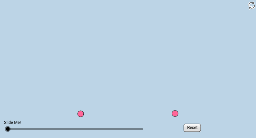
① This interactive GeoGebra applet engages students in discovering unique properties of squares without relying on angle measures or segment lengths, such as equal sides, right angles, parallel opposite sides, and congruent perpendicular diagonals. ② Core mathematical concepts include square properties, geometric transformations (rotation, dilation, translation), vectors, and relationships between circles and polygons. ③ Construction highlights: using GeoGebra commands like Polygon, Dilate, Rotate, Translate, Circle, Intersect, CircleSector, and Vector, the applet builds multiple squares, circles, sectors, and vectors, allowing dynamic manipulation of points A and B to trigger explorations. ④ Suitable for middle school geometry classes or high school review, as well as math activity sessions, fostering hands-on discovery and geometric reasoning.
GeoGebra Commands & Parameters
Polygon(A, B, 4) → poly1, a, b, c, d, C, DDilate(A, If[0 < e ≤ 1, 1 - e, 0], B) → A'Segment(A, A') → fRotate(A, If[1 < e ≤ 2, ((-(e - 1)) * π / 2), -1.5707963267948966], B) → A'_1Rotate(A', If[1 < e ≤ 2, ((-(e - 1)) * π / 2), -1.5707963267948966], B) → A''Segment(A'_1, A'') → f'Segment(A, B) → gSegment(B, C) → hSegment(C, D) → iSegment(D, A) → jCircle(C, (0.15 * j)) → kCircle(B, (0.15 * j)) → pCircle(A, (0.15 * j)) → qCircle(D, (0.15 * j)) → rSegment(A, C) → lSegment(D, B) → mIntersect(l, m) → EIntersect(r, j, 1) → FIntersect(r, m, 1) → GIntersect(r, i, 1) → HIntersect(k, i, 1) → IIntersect(k, l, 1) → JIntersect(k, h, 1) → KIntersect(p, h, 1) → LIntersect(p, m, 1) → MIntersect(p, g, 1) → NIntersect(q, g, 1) → OIntersect(q, l, 1) → PIntersect(q, j, 1) → QRotate(A'_1, If[2 < e ≤ 3, ((-(e - 2)) * π / 2), -1.5707963267948966], C) → RRotate(A'', If[2 < e ≤ 3, ((-(e - 2)) * π / 2), -1.5707963267948966], C) → A'''Segment(R, A''') → f''CircleSector(B, L, N) → sRotate(R, If[3 < e ≤ 4, ((-(e - 3)) * π / 2), -1.5707963267948966], D) → R'Rotate(A''', If[3 < e ≤ 4, ((-(e - 3)) * π / 2), -1.5707963267948966], D) → SSegment(R', S) → f'''Dilate(B, If[4 < e ≤ 5, 5 - e, 0], C) → B'Vector(B, B') → uTranslate(s, u) → s'Rotate(s', If[5 < e ≤ 6, ((e - 5) * π / 2), 1.5707963267948966], C) → s''Dilate(C, If[6 < e ≤ 7, 7 - e, 0], D) → C'Vector(C, C') → vTranslate(s'', v) → s'''Rotate(s''', If[7 < e ≤ 8, ((e - 7) * π / 2), 1.5707963267948966], D) → tDilate(D, If[8 < e ≤ 9, 9 - e, 0], A) → D'Vector(D, D') → wTranslate(t, w) → t'Rotate(t', If[9 < e ≤ 10, ((e - 9) * π / 2), 1.5707963267948966], A) → t''Dilate(A, If[10 < e ≤ 11, 11 - e, 0], E) → A'_2Segment(A, A'_2) → nDilate(E, If[11 < e ≤ 12, 12 - e, 0], C) → E'Segment(E, E') → a_1Dilate(D, If[12 < e ≤ 13, 13 - e, 0], E) → D'_1Segment(D, D'_1) → b_1Dilate(E, If[13 < e ≤ 14, 14 - e, 0], B) → E'_1Segment(E, E'_1) → c_1Rotate(t, If[12 < e ≤ 13, (((e - 12) * 3) * π / 4), 2.356194490192345], D) → t'_1Dilate(D, If[17 < e ≤ 18, 18 - e, 0], E) → D'_2Vector(D, D'_2) → u_1Translate(t'_1, u_1) → d_1Rotate(E, If[15 < e ≤ 16, ((e - 15) * π / 2), 1.5707963267948966], E) → E'_2Rotate(E'_1, If[14 < e ≤ 15, ((e - 14) * π / 2), 1.5708], E) → TSegment(E'_2, T) → e_1Rotate(E'_2, If[16 < e ≤ 17, ((e - 16) * π / 2), 1.5707963267948966], E) → URotate(T, If[15 < e ≤ 16, ((e - 15) * π / 2), 1.5708], E) → T'Segment(U, T') → f_1Rotate(U, If[17 < e ≤ 18, ((e - 17) * π / 2), 1.5707963267948966], E) → U'Rotate(T', If[16 < e ≤ 17, ((e - 16) * π / 2), 1.5708], E) → T''Segment(U', T'') → g_1CircleSector(B, L, M) → h_1Dilate(B, If[18 < e ≤ 19, 19 - e, 0], C) → B'_1Dilate(B, If[18 < e ≤ 19, 19 - e, 0], A) → B'_2Dilate(B, If[18 < e ≤ 19, 19 - e, 0], D) → B'_3Vector(B, B'_1) → v_1Vector(B, B'_3) → w_1Vector(B, B'_2) → i_1Translate(h_1, v_1) → k_1Translate(h_1, i_1) → p_1Translate(h_1, w_1) → q_1Rotate(k_1, If[19 < e ≤ 20, ((e - 19) * π / 2), 1.5707963267948966], C) → r_1Rotate(p_1, If[19 < e ≤ 20, (((e - 19) * 3) * π / 2), 4.71238898038469], A) → t_1Rotate(h_1, If[20.5 < e ≤ 21.5, ((e - 20.5) * π / 4), 0.7853981633974483], B) → c_2Rotate(r_1, If[20.5 < e ≤ 21.5, ((e - 20.5) * π / 4), 0.7853981633974483], C) → d_2Rotate(q_1, If[19 < e ≤ 20, ((e - 19) * π), 3.141592653589793], D) → s_1Rotate(s_1, If[20.5 < e ≤ 21.5, ((e - 20.5) * π / 4), 0.7853981633974483], D) → e_2Rotate(t_1, If[20.5 < e ≤ 21.5, ((e - 20.5) * π / 4), 0.7853981633974483], A) → f_2
AI Drawing Prompt Reference
Draw a square with adjustable vertices. From one side, generate successive rotated sides to form a sequence of squares. Place small circles at each vertex and mark their intersections with sides and diagonals. Connect diagonals to meet at the center. Then translate and rotate a circular sector along each side direction, covering the four vertex regions in turn, showing the dynamic rotation of the sector. The figure illustrates the square, its diagonals, circle intersections, and rotating sectors.
The prompt above was compiled from the original drawing commands and is for reference only.