
Spherical Coordinates by Dr. Ian Lundholm
Loading the math board and drawing, please wait…
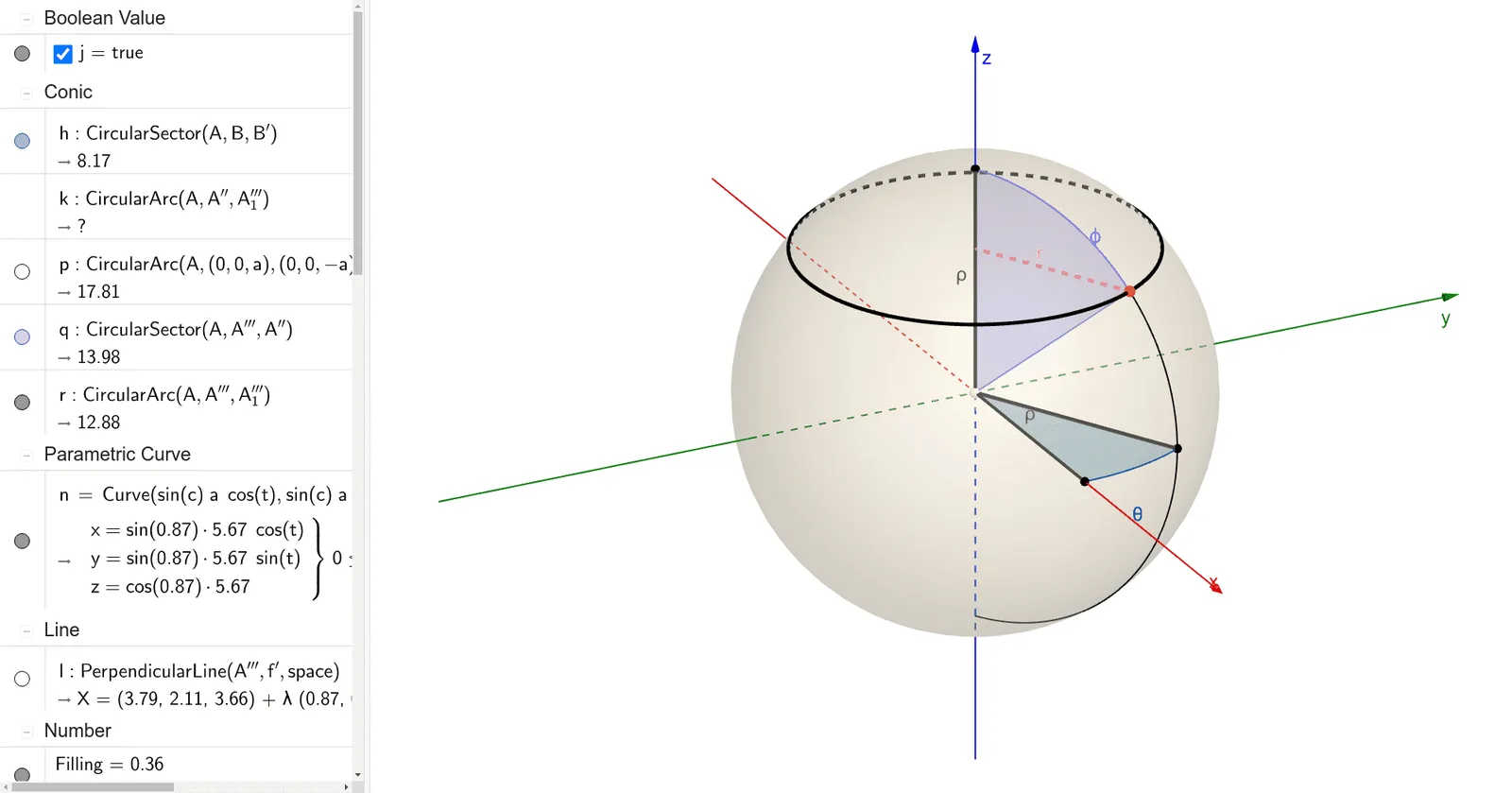
This example demonstrates the representation of spherical coordinates and their conversion to Cartesian coordinates in a three-dimensional space. Key mathematical concepts include spherical coordinates, polar coordinates, vectors, and spatial geometry. Construction highlights involve using GeoGebra commands and objects such as Dilate (dilation), Segment (line segment), Rotate (rotation), CircleSector (sector), CircleArc (arc), Plane (plane), Textfield (text input), OrthogonalLine (perpendicular line), Intersect (intersection), and CurveCartesian (Cartesian curve) to build the coordinate system and graphical representations. Suitable for high school and above students learning about spatial geometry and coordinate transformations.
GeoGebra Commands & Parameters
Dilate(A, If[0 < e ≤ 1, 1 - e, 0], B) → A'Segment(A, A') → fRotate(B, If[2 < e ≤ 3, ((e - 2) * b), b], A) → B'Segment(A, B') → gCircleSector(A, B, B') → hRotate(A, If[1 < e ≤ 2, ((e - 1) * π / 2), π / 2], A, Line[(0, 0, 0), (0, 1, 0)]) → A'_2Rotate(A', If[1 < e ≤ 2, ((-(e - 1)) * π / 2), ((-π)) / 2], A, Line[(0, 0, 0), (0, 1, 0)]) → A''Segment(A'_2, A'') → f'Rotate(A'', If[3 < e ≤ 4, ((-(e - 3)) * π), (-π)], A, Plane[A'', A, B']) → A'''_1CircleArc(A, A'', A'''_1) → kCircleArc(A, (0, 0, a), (0, 0, (-a)), Plane[A, B', (0, 0, (-a))]) → pRotate(A'', If[4 < e ≤ 5, ((-(e - 4)) * c), (-c)], A, Plane[A'', A, B']) → A'''CircleArc(A, A''', A'''_1) → rCircleSector(A, A''', A'') → qPlane((0, 0, 0), (1, 0, 0), (0, 1, 0)) → iTextfield(a) → InputBox1Textfield(b) → InputBox2Textfield(c) → InputBox3OrthogonalLine(A''', f', space) → lIntersect(l, f') → CSegment(C, A''') → mCurveCartesian(((sin(c) * a) * cos(t)), ((sin(c) * a) * sin(t)), (cos(c) * a), t, 0, (2 * π)) → n
AI Drawing Prompt Reference
Visualize the conversion from spherical to Cartesian coordinates in 3D space, highlighting key mathematical concepts. Start by constructing the coordinate system using line segments, rotations, and arcs. Then, create the graphical representation of spherical coordinates through various rotations and arcs. Add text input fields for parameter adjustments, draw perpendicular lines and intersection points, and finally generate a Cartesian curve to clearly demonstrate the coordinate transformation process.
The prompt above was compiled from the original drawing commands and is for reference only.