
Geometric construction on an orthogonal plane (Ex 1.2.5)
Loading the math board and drawing, please wait…
In collections
Linear Algebra with Applications-Interactive Demonstrations
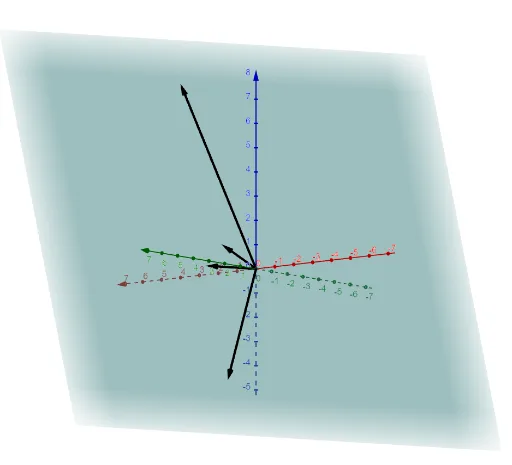
This example demonstrates how to set up a 3D geometry workspace by constructing an orthogonal plane structure, enabling clear modeling of geometric objects and their relationships in space. The key mathematical ideas are spatial geometry modeling, orthogonality/Cartesian-style setup via an orthogonal plane, and the use of foundational objects (points that later define lines, circles, or solids). Construction highlights from the provided summary: it uses the GeoGebra command OrthogonalPlane to create the orthogonal plane framework, and it defines/uses the objects a, b, c, d, and p as the core elements within that coordinate system for subsequent geometric construction. Suitable for secondary-school to early undergraduate audiences in solid/space geometry, and for instructional use in learning 3D geometric construction with GeoGebra.
GeoGebra Commands & Parameters
OrthogonalPlane((0, 0, 0), Vector[a ⊗ b]) → p
AI Drawing Prompt Reference
Draw a three-dimensional orthogonal plane structure. The key elements are points a, b, c, d, and p, located within a plane centered at the origin with direction defined by the vector a⊗b. The construction order is to first establish this orthogonal plane framework, then define these points for subsequent geometric modeling. The figure should clearly show spatial geometric relationships, suitable for learning three-dimensional geometric construction.
The prompt above was compiled from the original drawing commands and is for reference only.