
Sphere Volume Calculation Steps
Loading the math board and drawing, please wait…
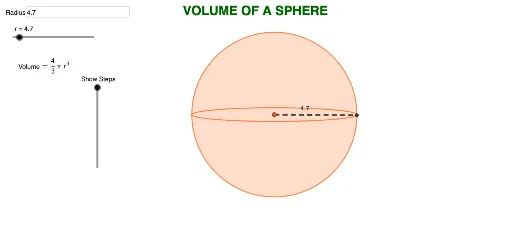
This example dynamically demonstrates the calculation process of a sphere's volume. It involves core mathematical concepts such as the sphere volume formula, integral ideas, and the construction of three-dimensional geometric shapes. Key GeoGebra commands and objects used include Circle, Intersect, Point, Ellipse, Textfield, and Segment to dynamically adjust the sphere's radius and display the volume calculation in real-time. Suitable for high school and above students to understand the derivation of the sphere volume formula and develop spatial reasoning skills.
GeoGebra Commands & Parameters
Circle(A, r) → cIntersect(c, xAxis, 1) → BIntersect(c, xAxis, 2) → CPoint(yAxis) → DEllipse(B, C, D) → dTextfield(r) → InputBox1Intersect(c, d, 2) → ESegment(A, E) → f
AI Drawing Prompt Reference
Draw a sphere with adjustable radius and show the volume calculation process. First, draw a circle, then find its intersections with the x-axis to get two points. Next, take a point on the y-axis and use these three points to draw an ellipse. Finally, draw a line segment through the intersection of the circle and ellipse, displaying the volume calculation.
The prompt above was compiled from the original drawing commands and is for reference only.