
Sphere Quadrilateral Demo
Loading the math board and drawing, please wait…
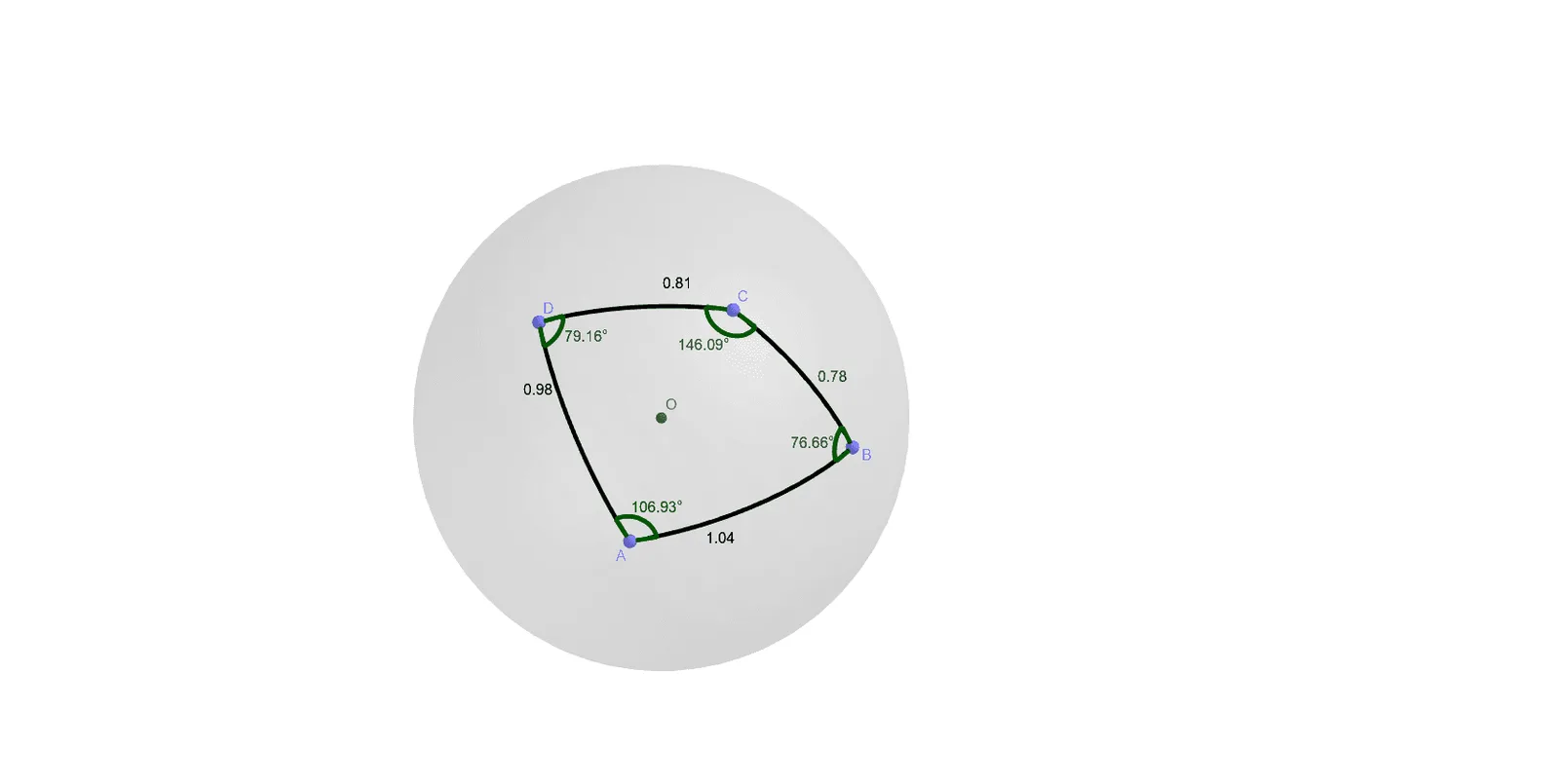
This example demonstrates the geometric properties and statistical characteristics of a quadrilateral on a sphere. It involves core mathematical concepts such as spherical geometry, linear regression, set theory, linear programming, and exponential functions. The construction uses GeoGebra commands like Intersect, Sphere, PointIn, sSegment, and sAngle to create the sphere and quadrilateral, defining points O, a, A, B, C, D, and angles α, β, γ, δ. It is suitable for high school students and math enthusiasts studying solid geometry and optimization algorithms.
GeoGebra Commands & Parameters
Intersect(xAxis, zAxis) → OSphere(O, 1) → aPointIn(a) → APointIn(a) → BPointIn(a) → CPointIn(a) → DsSegment(O, A, B) → csSegment(O, B, C) → dsSegment(O, C, D) → esSegment(O, D, A) → fsAngle(O, A, D, C) → αsAngle(O, D, C, B) → βsAngle(O, C, B, A) → γsAngle(O, B, A, D) → δ
AI Drawing Prompt Reference
Draw a unit sphere centered at the origin. Randomly place four points on the sphere's surface and connect them in order to form a spherical quadrilateral. From the sphere's center, draw great-circle arcs to each side of the quadrilateral, creating four spherical segments. Measure and label the four spherical angles at the vertices. This construction illustrates properties of spherical quadrilaterals, useful for demonstrating solid geometry and optimization concepts.
The prompt above was compiled from the original drawing commands and is for reference only.