
Sphere Interactives
Loading the math board and drawing, please wait…
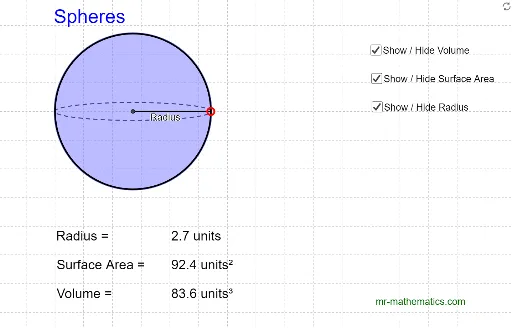
This example demonstrates the geometric properties of a sphere. It involves concepts such as spheres, vectors, and the cosine theorem. Using GeoGebra commands like Line, Point, Ellipse, Intersect, etc., it constructs sections and tangents of the sphere. Suitable for high school mathematics education and learning.
GeoGebra Commands & Parameters
Line(A, B) → aPoint(a) → DPoint(a) → FEllipse(D, F, G) → cIntersect(c, a, 1) → HIntersect(c, a, 2) → ISegment(H, I) → bMidpoint(b) → JCircle(J, I) → dCircle(J, F) → eSegment(J, F) → fLine(A_1, B_1) → a_1Point(a_1) → D_1Point(a_1) → F_1Ellipse(D_1, F_1, G_1) → c_1Intersect(c_1, a_1, 1) → H_1Intersect(c_1, a_1, 2) → I_1Segment(H_1, I_1) → b_1Midpoint(b_1) → J_1Circle(J_1, I_1) → d_1Circle(J_1, F_1) → e_1Segment(J_1, F_1) → f_1Line(A_2, B_2) → a_2Point(a_2) → D_2Point(a_2) → F_2Ellipse(D_2, F_2, G_2) → c_2Intersect(c_2, a_2, 1) → H_2Intersect(c_2, a_2, 2) → I_2Segment(H_2, I_2) → b_2Midpoint(b_2) → J_2Circle(J_2, I_2) → d_2Circle(J_2, F_2) → e_2Segment(J_2, F_2) → f_2