
3D Geostationary Satellite Orbit Simulation
Loading the math board and drawing, please wait…
In collections
El dominio del Tiempo (cinemática intuitiva)
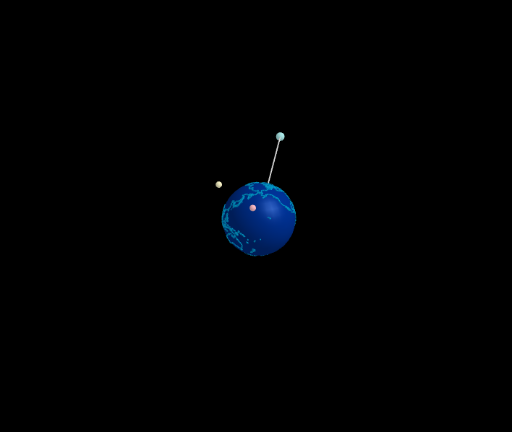
This example demonstrates the operation of geostationary satellites in the Clarke belt. Core mathematical concepts include circular motion, parametric equations, vector rotation transformations, and three-dimensional spatial coordinates. Construction details: Use the Sphere command to create a Earth model, the Circle command to draw the geostationary orbit (approximately 35,786 km above Earth's surface), define satellite position using parametric equations with sin/cos functions, apply vector operations to simulate satellite motion relative to Earth, and set up slider animations to control the satellite's movement along the orbit. Suitable for high school and early college students learning about geometry and physics in celestial motion, as well as teaching parametric equations, 3D vectors, and circular motion.
GeoGebra Commands & Parameters
Sphere((0, 0, 0), (0.999 * 5)) → tierraLine(Tierra, Rotate[(5; 0°; 90°), α1, Line[Tierra, (d1; 0°; 0°)]]) → eje1Circle(Tierra, d1, eje1) → c1Line(Tierra, Rotate[(5; 90°; 90°), α2, Line[Tierra, (d2; 90°; 0°)]]) → eje2Line(Tierra, Rotate[(5; 300°; 90°), α3, Line[Tierra, (d2; 300°; 0°)]]) → eje3Circle(Tierra, d2, eje2) → c2Circle(Tierra, d3, eje3) → c3Segment(Tierra, M1) → g
AI Drawing Prompt Reference
Draw a 3D Earth model with a geostationary satellite orbit at approximately 35,786 km above the surface. The orbit is a circle, and the satellite position is defined using parametric equations with sine and cosine functions, simulating its motion relative to Earth. The construction order is: first create the Earth model, then draw the orbit, define satellite position and motion, and finally set up slider animations to control movement along the orbit.
The prompt above was compiled from the original drawing commands and is for reference only.