
Spaceship Racing Game by Ms. Muusse
Loading the math board and drawing, please wait…
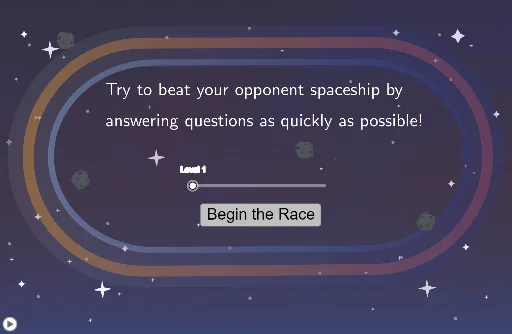
This example simulates a spaceship racing game to demonstrate mathematical concepts such as addition, integers, subtraction, sine functions, step functions, and trigonometric functions. Using GeoGebra commands like Intersect, Point, and Segment, dynamic mathematical graphics can be constructed. Suitable for middle school and above students.
GeoGebra Commands & Parameters
Intersect(xAxis, yAxis) → APoint(xAxis) → BSegment(A, B) → fPoint(yAxis) → CSegment(C, D) → gSemicircle(D, B) → cSemicircle(A, C) → dLaTeX(Text[RandNum1]) → DisplayRandNum1LaTeX(Text[RandNum2]) → DisplayRandNum2LaTeX(Text[RandAns]) → DisplayRandAnsRandomElement(ListOfSymbols) → DiceRollText("test") → DisplaySymbolLaTeX(Text[RandAnsFake1]) → DisplayRandAnsFake1LaTeX(Text[RandAnsFake2]) → DisplayRandAnsFake2RandomElement({1, 2, 3}) → FakeRoll1RandomElement({1, 2, 3}) → FakeRoll2Circle((0.5, 1.5), 0.6) → CircOutline1Circle((2, 1.5), 0.6) → CircOutline2Circle((3.5, 1.5), 0.6) → CircOutline3Shuffle(ListOfPoints) → ListOfPointsShuffledCircle(Point1, 0.6) → TouchArea1Circle(Point2, 0.6) → TouchArea2Circle(Point3, 0.6) → TouchArea3LaTeX(Text["Incorrect\ Answers: " + Incorrect]) → DisplayIncorrectSequence(Element[TimesList, 1 + i] - Element[TimesList, i], i, 1, Length[TimesList] - 1) → OldAverageSpeedListLaTeX(Text["Your\ Score: " + Score]) → DisplayScoreSegment((0, -0.25), (0, 0.45)) → startsegmentSegment((-2.35, 2), (-1.55, 2)) → endsegmentText("Finish") → EndTextLaTeX(Text["Try\ to\ beat\ your\ opponent\ spaceship\ by\\\ \\answering\ questions\ as\ quickly\ as\ possible!"]) → feedback
AI Drawing Prompt Reference
Draw a spaceship racing game scene with two axes, where the x-axis and y-axis intersect at the origin. Draw a line segment AB on the x-axis and a line segment CD on the y-axis. Draw semicircles with B and D as centers. Randomly generate two numbers and display them on the graph. Draw three small circles as touch areas at (0.5, 1.5), (2, 1.5), and (3.5, 1.5). Draw a line segment below the x-axis as the starting point and another above the x-axis as the ending point, with the word 'Finish' written at the end. Finally, display 'Try to beat your opponent spaceship by answering questions as quickly as possible!' on the graph.
The prompt above was compiled from the original drawing commands and is for reference only.