
Solving Trig Equations - Sine Function
Loading the math board and drawing, please wait…
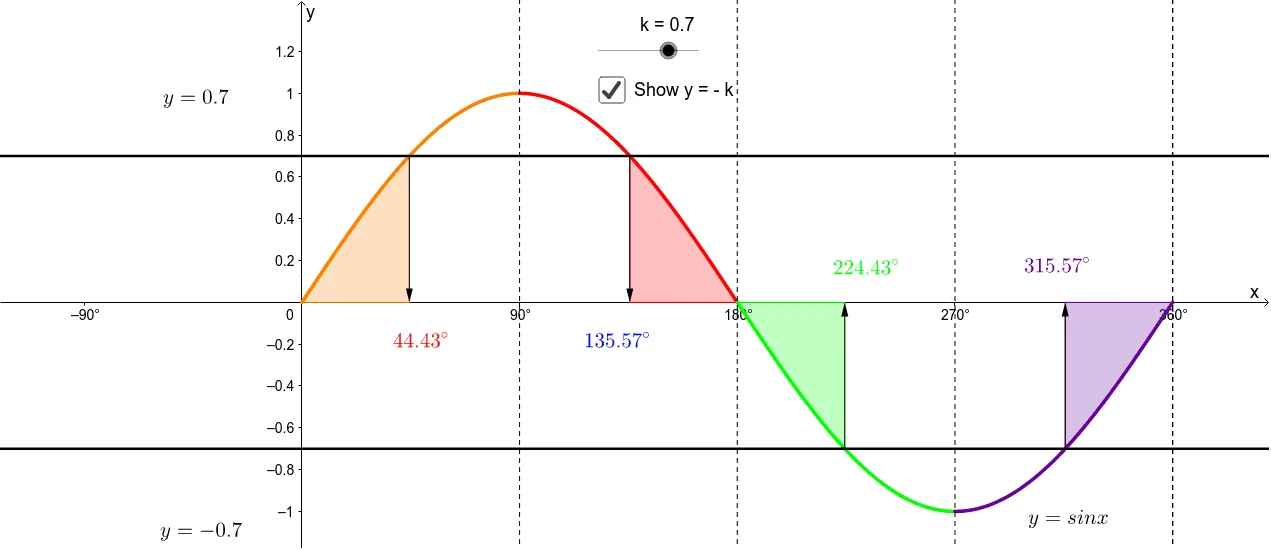
This example demonstrates how to solve and visualize sine trigonometric equations using GeoGebra. It involves core math concepts like trigonometric functions, equation solving, and geometric representation. Key GeoGebra commands and objects used include Function, Mirror, Rotate, Intersect, Integral, and Vector. Suitable for high school students learning about trigonometric equations and their geometric interpretations.
GeoGebra Commands & Parameters
Function(sin(x°), 0, 90) → gMirror(g, a) → g_1Rotate(g_1, 180°, A) → eMirror(e, c) → e'Intersect(g, h_1, (-1035.5729959991943, 0.7000000000000013)) → BIntegral(g, 0, (asin(k) * 180 / π)) → iIntegral(f, 180 - (asin(k) * 180 / π), 180) → jIntersect(h, e) → DIntersect(h, e') → EIntegral(sin(x°), 180, 180 + (asin(k) * 180 / π)) → mIntegral(sin(x°), 360 - (asin(k) * 180 / π), 360) → nVector(J, F) → uVector(K, G) → vVector(L, H) → wVector(M, I) → z
AI Drawing Prompt Reference
Draw a sine function graph, mirror and rotate it about a certain angle to get two new images. Then find the intersection points of these images with specific lines, and calculate the integrals of the sine function over these intervals. Finally, construct geometric shapes using these intersection points and integral areas, and represent the relationships between these points with vectors.
The prompt above was compiled from the original drawing commands and is for reference only.