
Solving Systems of Linear Equations Graphically
Loading the math board and drawing, please wait…
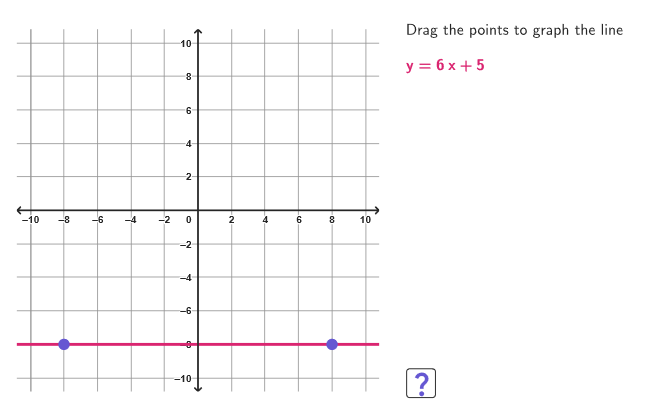
This example demonstrates solving linear equations graphically by plotting lines. The key math concept is the graphical solution of linear systems. Construction involves GeoGebra commands like Line, Slope, Point. Suitable for middle school math education or self-study.
GeoGebra Commands & Parameters
Shuffle(Sequence[n, n, -4, 4, 1] \ {0}) → coordPList, {2, 4, -4, -1, -3, 3, -2, 1}Element(coordPList, Mod[xPCount, Length[coordPList]] + 1) → xPElement(coordPList, Mod[yPCount, Length[coordPList]] + 1) → yPShuffle(Sequence[n, n, If[xP < 0, -8, yP + 1], If[xP > 0, 8, yP - 1]] \ {0, xP + yP}) → allQ2, {-3, -5, -4, -7, -6, -8}Shuffle(Sequence[n, n, If[xP > 0, -8, yP + 1], If[xP < 0, 8, yP - 1]] \ {0, yP - xP}) → allQ1, {6, 1, 7, 5, 4, 3, 2, 8}Element(allQ2, Mod[q2Count, Length[allQ2]] + 1) → q2Line(P, (0, q2)) → r2Slope(r2) → m2Denominator(m2) → denM2Element(allQ1, Mod[q1Count, Length[allQ1]] + 1) → q1Line(P, (0, q1)) → r1Slope(r1) → m1Denominator(m1) → denM1Numerator(m2) → numM2Numerator(m1) → numM1Corner(5) → AppSizeVector(P + (4, 0), P + (1, 0)) → vInstrJoin(Sequence[Sequence[(j, k), j, -10, 10, 0.5], k, -10, 10, 0.5]) → megaGridPoint(megaGrid) → S1Point(megaGrid) → S2Line(S1, S2) → stud1Point(megaGrid) → S3Point(megaGrid) → S4Line(S3, S4) → stud2If(¬correct1, Segment[A, B], Segment[A, C]) → constArrowIf(¬correct1, Segment[D, E], Segment[D, F]) → slopeArrowPolygon((-10.9, -10.9), (10.9, -10.9), (10.9, 10.9), (-10.9, 10.9)) → peep, f, g, h, iSegment((-10.8, 0), (10.8, 0)) → axisXSegment((0, -10.8), (0, 10.8)) → axisY
AI Drawing Prompt Reference
Draw a coordinate plane with a large square border and the x- and y-axes. Include two lines that pass through a common point P; choose their y-intercepts by selecting points on the y-axis at two computed values, producing two lines (r1 and r2) with potentially different slopes. Add another pair of line segments (stud1 and stud2) by selecting endpoints from a grid region and joining each pair, so their directions visually relate to the two main lines. Finally, place small arrow-like line segments to indicate a general instruction direction and the slope directions for the two lines, forming a graphical lesson setup for solving systems of linear equations.
The prompt above was compiled from the original drawing commands and is for reference only.