
Solving One-Step Equations and Rounding
Loading the math board and drawing, please wait…
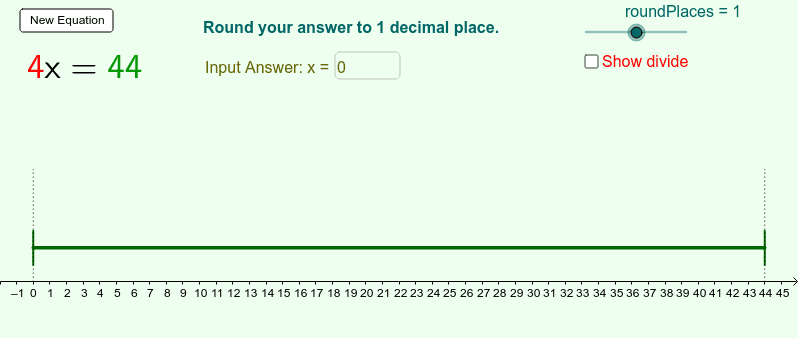
This example demonstrates solving one-step equations and rounding numbers. It involves core math concepts like equation solving, place value operations, and rounding rules. Constructed using GeoGebra commands/objects such as Random, Textfield, Segment, Sequence, Vector, If, Min, Max. Suitable for 5th-grade students learning basic algebra and the number system.
GeoGebra Commands & Parameters
Random(2, 10) → aTextfield(ans) → inputBox1Segment((0, 0), (0, 2)) → z_1Segment((b, 0), (b, 2)) → z_2Segment((0, 0.6), (b, 0.6)) → wSequence(Segment[(j * b, 0.6 - 0.3), (j * b, 0.6 + 0.3)], j, 0, 1) → listwSegment((0, 2), (b, 2)) → dSequence(Segment[(j * b / a, 2 - 0.3), (j * b / a, 2 + 0.3)], j, 0, a) → listdVector((0, 1.3), (answer, 1.3)) → uSequence(Segment[(j * answer, 0), (j * answer, 1.3 + 0.3)], j, 0, 1) → listAIf(ans ≟ answer, "Yes!", If[ans ≟ -answer, "Check your sign", "No..."]) → textAMin(-2, b - 2) → xminMax(2, b + 2) → xmax
AI Drawing Prompt Reference
Draw a number line from 0 to b, with a horizontal line segment above it connected by small segments to form a wavy pattern. Based on the value of a, draw multiple evenly spaced line segments on the number line, each with small segments connecting above and below to create a stair-like appearance. From the origin, draw a vector pointing to the solution answer, and a vertical line segment at the solution's position. Display different text prompts based on whether the input equals the solution.
The prompt above was compiled from the original drawing commands and is for reference only.