
Solving Inequalities and Absolute Value Equations: Interactive Practice
Loading the math board and drawing, please wait…
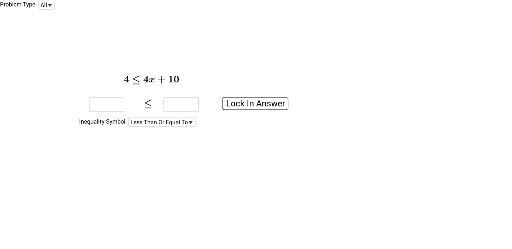
This GeoGebra example demonstrates an interactive practice tool for solving inequalities and absolute value equations. It randomly generates problems of varying difficulty, allowing students to input answers and receive immediate feedback. Core mathematical concepts include the definition of absolute value, piecewise analysis of absolute value equations, interval notation for inequality solution sets, and existence of solutions (unique, none, or multiple). The construction uses GeoGebra commands such as Random to generate coefficients and constants, If and Simplify for conditional logic and simplification, SelectedElement and RandomElement to pick problem types from lists, Textfield for user input, and FractionText to display fractional answers. Key objects include seed variables (seed_1 to seed_5), absolute value parameters (abs_a to abs_e), answer option lists (answerOptions_{abs}), and boolean objects for solution existence (oneSolution_{abs}, noSolution_{abs}). This tool is suitable for middle and high school algebra instruction, useful for classroom practice, homework, or self-study, helping students master solving absolute value equations and inequalities.
GeoGebra Commands & Parameters
Random(-10, 10) → seed_4Random(-10, 10) → seed_3Random(-10, 10) → seed_2If(seed_2 ≟ 0, 1, seed_2) → abs_bRandom(1, 15) → seed_5Random(1, 100) → absDifficultyIf((absDifficulty > 10) ∧ (absDifficulty < 60), seed_4, 0) → abs_dIf(absDifficulty < 20, Max[3, seed_1], 1) → abs_aIf(Random[1, 50] > 42, seed_4, (seed_5 * abs_a)) → abs_eSimplify((abs_a * abs((abs_b * x) + abs_c)) + abs_d) → absFunctionRandom(1, 4) → inequalityTypeIf(inequalityType ≟ 1, "\lt", If[inequalityType ≟ 2, "\gt", If[inequalityType ≟ 3, "\geq", "\leq"]]) → symbol_{inequality}Random(1, 2) → variableSideIf(SelectedElement[answerSymbol] ≟ "Greater Than", "\gt", If[SelectedElement[answerSymbol] ≟ "Less Than", "\lt", If[SelectedElement[answerSymbol] ≟ "Less Than Or Equal To", "\leq", "\geq"]]) → answerSymbolTextIf(answerLeft ≟ "x", same(answerNumber_{right}, solution_{inequality}), If[answerRight ≟ "x", same(answerNumber_{left}, solution_{inequality}), false]) → correctNumber_{inequality}SelectedElement(problemTypeOptions) → problemChoiceIf(problemChoice ≟ "All", {"Inequality", "Absolute Value"}, {problemChoice}) → problemTypeListRandomElement(problemTypeList) → problemTypeIf(variableSide ≟ 1, seed_1 + "x" + (If[seed_2 < 0, "-" + ((-seed_2)), If[seed_2 > 0, "+" + seed_2, ""]]), seed_3 + "") → leftSide_{inequality}If(variableSide ≟ 2, seed_1 + "x" + (If[seed_2 < 0, "-" + ((-seed_2)), If[seed_2 > 0, "+" + seed_2, ""]]), seed_3 + "") → rightSide_{inequality}Textfield(answerLeft) → leftAnswerBoxTextfield(answerRight) → rightAnswerBoxFractionText(solution_{inequality}) → solutionFraction_{inequality}If(variableSide ≟ 1 ∧ (seed_1 > 0) ∨ variableSide ≟ 2 ∧ (seed_1 < 0), If[answerLeft ≟ "x", answerSymbolText ≟ symbol_{inequality}, answerSymbolText ≟ Element[answerSymbolList, 5 - IndexOf[symbol_{inequality}, answerSymbolList]]], If[answerRight ≟ "x", answerSymbolText ≟ symbol_{inequality}, answerSymbolText ≟ Element[answerSymbolList, 5 - IndexOf[symbol_{inequality}, answerSymbolList]]]) → correctSymbol_{inequality}Textfield(answerLeft_{abs}) → inputBox1Textfield(answerRight_{abs}) → inputBox2
AI Drawing Prompt Reference
Create an interactive algebra practice interface showing a randomly generated absolute value equation or inequality in the center, such as "|ax+b|+c ≤ d" or "ax+b > c", with random integer coefficients. Below the equation, place two text input fields for entering the solution set and the inequality direction. On the right side, display a list of answer options including symbols for "greater than", "less than", "less than or equal to", and "greater than or equal to". At the top, include a difficulty indicator and a button to generate a new problem. Use a light grid background, clear black bold text for math expressions, white rectangular input boxes, and clickable buttons for answer options. Keep the layout clean and suitable for classroom use.
The prompt above was compiled from the original drawing commands and is for reference only.