
Visualizing Volumes of Revolution and Cross Sections
Loading the math board and drawing, please wait…
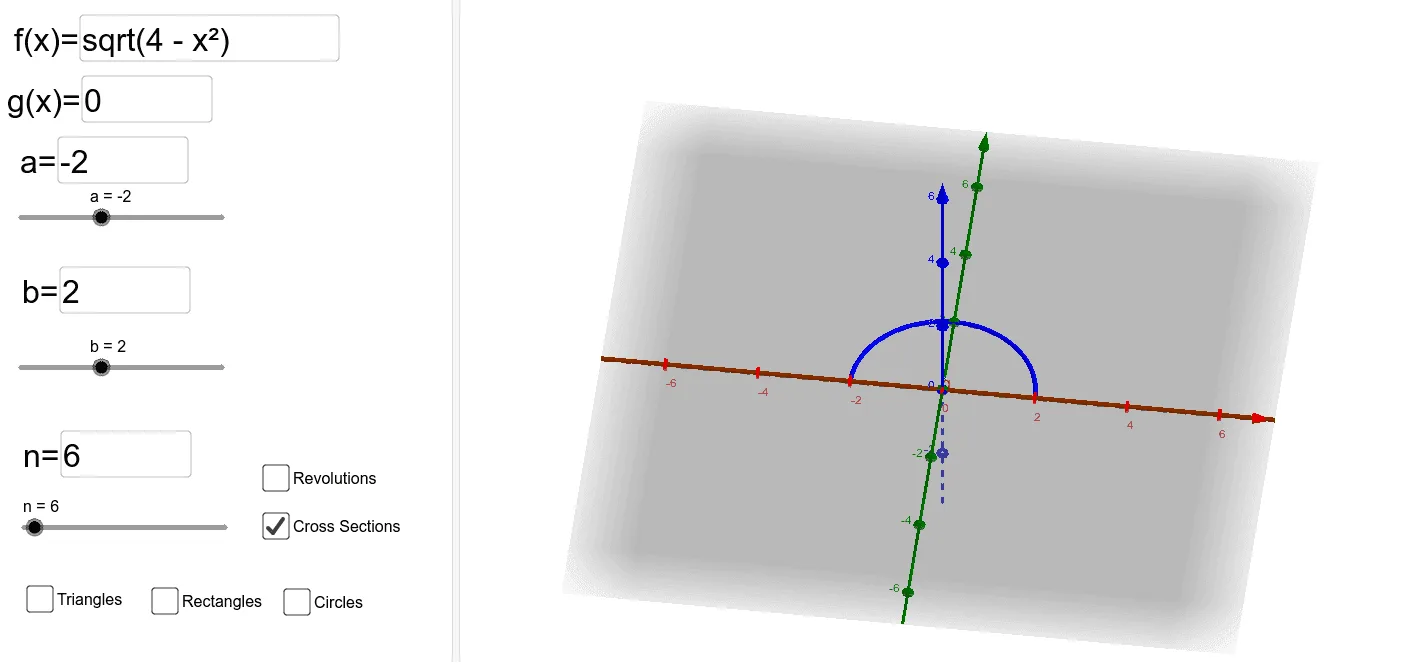
This example visualizes volumes of revolution by rotating function graphs and further understanding volume calculations through cross sections. Core mathematical concepts include volume calculation of solids of revolution in calculus, ellipses, and conic sections. GeoGebra commands used include Sequence, Rotate, and InputBox. Suitable for high school mathematics education, particularly in calculus and solid geometry.
GeoGebra Commands & Parameters
Textfield(f) → InputBox1Textfield(a) → InputBox3Textfield(b) → InputBox4Textfield(n) → InputBox5Textfield(g) → InputBox2Rotate(h, rAngle, Line[(0, g(0), 0), (1, g(0), 0)]) → f_1Textfield(rectangleHeight) → InputBox6Sequence(Prism[Polygon[(k, g(k), 0), (k, f(k), 0), (k, (f(k) + g(k)) / 2, abs(rectangleHeight(f(k) - g(k))))], dk], k, a, b - dk, dk) → L2Sequence(Prism[Polygon[(k, g(k), 0), (k, f(k), 0), (k, f(k), abs(rectangleHeight(f(k) - g(k)))), (k, g(k), abs(rectangleHeight(f(k) - g(k))))], dk], k, a, b - dk, dk) → L1Sequence(Cylinder[(k, g(k), 0), (k + dk, g(k), 0), f(k) - g(k)], k, a, b - dk, dk) → LSequence(Cylinder[(k, (f(k) + g(k)) / 2, 0), (k + dk, (f(k) + g(k)) / 2, 0), (f(k) - g(k)) / 2], k, a, b - dk, dk) → L3
AI Drawing Prompt Reference
Create a 3D visualization showing a solid of revolution and its cross sections. Start with two function curves in space, one as the upper boundary and one as the lower boundary, enclosing a region. Rotate this region around a horizontal axis to form the solid's surface. Inside the solid, place a series of thin slices along the horizontal direction: some are rectangular prism cross-sections, others are cylinders, illustrating different slice shapes. These slices are arranged from a start position to an end position, with each slice's height or radius determined by the difference between the upper and lower functions. Additionally, include input boxes nearby to adjust the function expressions, integration interval, and number of slices, allowing dynamic exploration of volume changes. The overall scene is an educational 3D model emphasizing the geometric relationship between rotation and cross sections.
The prompt above was compiled from the original drawing commands and is for reference only.