
Solve the System by Elimination Using Multiplication by Mathguru
Loading the math board and drawing, please wait…
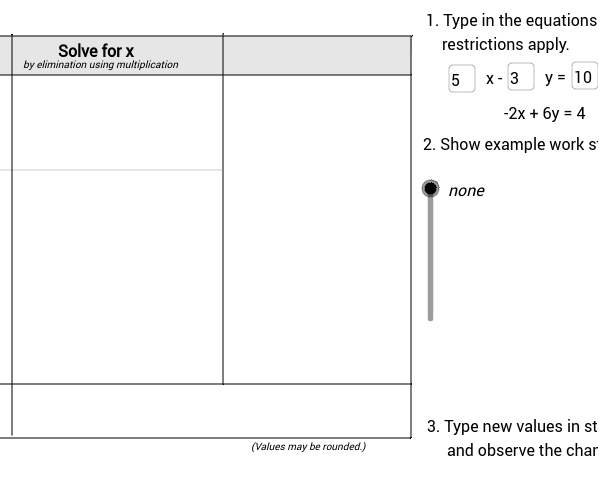
This GeoGebra example demonstrates how to solve a system of linear equations using the elimination method with multiplication, providing an interactive platform for visual learning. The key mathematical concepts involved are systems of equations, elimination technique, and algebraic manipulation. In terms of construction, it utilizes GeoGebra commands such as If for conditional logic, Textfield for user input and text display, Polygon and Segment to graph the equations, and Vector for directional representation. Objects like coefX and coefY store coefficients, while solveHead and directions manage the step-by-step solution display. This example is ideal for high school students studying algebra, offering a practical tool to enhance understanding of equation solving.
GeoGebra Commands & Parameters
If(coefX + 1 ≟ 1, "", If[coefX + 1 ≟ -1, "-", "" + (coefX + 1) + ""]) → coefLPlus1Textfield(coefX) → inputCoefXTextfield(const) → inputConstTextfield(mult) → inputMultTextfield(coefY) → inputCoefYPolygon((-5.02, 6.2), (7.98, 6.2), (8, 6.98), (-5, 6.98)) → row1Header, a, b, c, dSegment((x(Corner[solve1a_1, 1]) - 0.6, 4.3), (x(Corner[solve1a_2, 2]) + 0.3, 4.3)) → step1segmentSegment((4.22, 0.02), (4.22, 7.02)) → segmentDividerSegment((-1.8, 4.3), (4.2, 4.3)) → divider1aSegment((-5.04, -1.06), (7.96, -1.06)) → bottomSegment((0, -1), (0, 7)) → sideLSegment((7.98, -1.04), (7.98, 6.96)) → sideRSegment((-5.02, 0.02), (7.98, 0.02)) → dividerSolutionVector(Corner[multEqn3, 1] + (-0.2, 0.4), Corner[solve1a_2, 2] + (0.2, 0.2)) → multEqnVectorIf(mult * coefX - 2 ≟ 0 ∧ -mult * coefY + 6 ≟ 0, true, false) → solutionNoneIf(mult * coefY ≠ 6, true, false) → notValid