
Solve Simple Linear Equations (II)
Loading the math board and drawing, please wait…
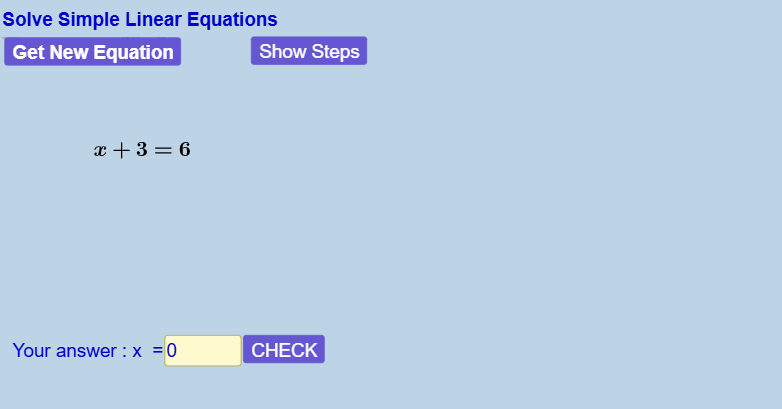
This example demonstrates how to solve simple linear equations in one variable by balancing the equation. Core math concepts include equation balancing and variable manipulation. It utilizes GeoGebra commands such as Random, Element, If, RandomElement, Simplify, Textfield, Coefficients, Length to create an interactive learning environment. Suitable for middle school and above students to review and reinforce equation-solving techniques.
GeoGebra Commands & Parameters
Random(1, 10) → r_{oo}Element({-5, -4, -3, -2, -1, 1, 2, 3, 4, 5, 6}, r_{oo}) → r0If(count < startbothsidesx, If[count < 2, 1, If[count < 3, RandomElement[{2, -2}], RandomElement[{-3, -2, 2, 3}]]], RandomElement[{-9, -8, -7, -6, -5, -4, -3, -2, -1, 1, 2, 3, 4, 5, 6, 7, 8, 9, 10, 11, 12}]) → r1RandomElement({-9, -8, -7, -6, -5, -4, -3, -2, -1, 1, 2, 3, 4, 5, 6, 7, 8, 9, 10, 11, 12}) → r2If(count < startbothsidesx, If[count < startrightsidex, 0, (-r1)], RandomElement[{-9, -8, -7, -6, -5, -4, -3, -2, -1, 1, 2, 3, 4, 5, 6, 7, 8, 9, 10, 11, 12}]) → r3Simplify(g_3(x) + If[Element[listEqn1LCoeff, 1] < 0, (abs(Element[listEqn1LCoeff, 1]) * x), ((-abs(Element[listEqn1LCoeff, 1])) * x)]) → g_{2s}Simplify(f_3(x) + If[Element[listEqn1LCoeff, 1] < 0, (abs(Element[listEqn1LCoeff, 1]) * x), ((-abs(Element[listEqn1LCoeff, 1])) * x)]) → f_{2s}If(showsteps ≟ true, 10 - display, 1) → stepTextfield(answerx) → inputBox1AnswerIf(answerx ≟ g(0), 1, 0) → correctIf(showsteps ≟ true, 10, 1) → stepsvalueTextfield(operatebothsidesvalue) → inputBox2OperatebothsidesvalueIf(Element[listEqn1LCoeff, 1] < Element[listEqn1RCoeff, 1], true, false) → sSimplify(g_{2s}(x) + If[Element[listEqn1RCoeff, 2] < 0, abs(Element[listEqn1RCoeff, 2]), (-abs(Element[listEqn1RCoeff, 2]))]) → g_{1s}Simplify(f_{2s}(x) + If[Element[listEqn1RCoeff, 2] < 0, abs(Element[listEqn1RCoeff, 2]), (-abs(Element[listEqn1RCoeff, 2]))]) → f_{1s}Coefficients(g_{2s}) → listEqn2RCoeffSLength(listEqn2RCoeffS) → lengthlistEqn2RCoeffCoefficients(f_{2s}) → listEqn2LCoeffSLength(listEqn2LCoeffS) → lengthlistEqn2LCoeffElement(listEqn2RCoeffS, lengthlistEqn2RCoeff) → r2SIf(abs(r1) ≟ 1, true, false) → skip7on
AI Drawing Prompt Reference
Create an interactive interface for solving simple linear equations in one variable. The left side shows a linear equation with variable and constant terms, while the right side displays the expression after the equals sign. Include input boxes for the solution and for the operation applied to both sides. As the user interacts, the equation simplifies step by step, showing intermediate results. Random coefficients are generated, and a step counter is displayed. The layout is clean and educational, emphasizing equation balancing and variable manipulation.
The prompt above was compiled from the original drawing commands and is for reference only.