
Solve Simple Linear Equations (Apply Balance Concept)
Loading the math board and drawing, please wait…
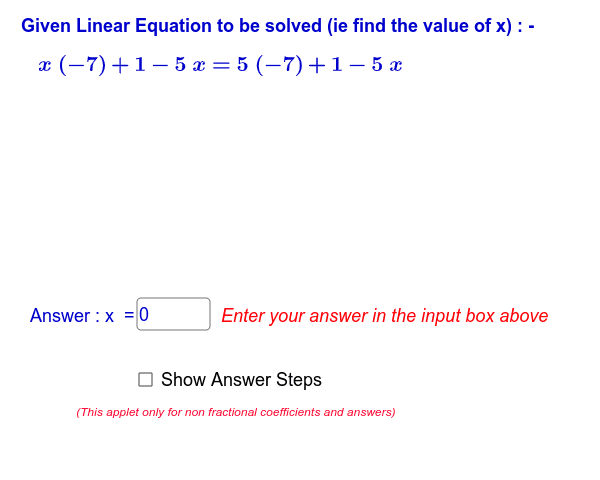
This GeoGebra applet demonstrates the step-by-step solution of simple linear equations by applying the intuitive concept of a balance scale. The core mathematical concepts involved include linear equations in one variable, the fundamental properties of equality (addition, subtraction, multiplication, division), and the visual correspondence between algebraic operations and physical balance. To build this interactive tool, the applet employs GeoGebra commands such as `Random` and `RandomElement` to generate randomized equations, and `If` statements to control the logic and visibility of individual steps. It utilizes numerous text objects (e.g., `textProblemPosed`, `textOperationBothSides`, `textStepNumberDisplay`) and an input box (`inputBox1`) to dynamically present the equation after each operation, guide the student through the steps, and provide immediate feedback on their answers. This applet is ideal for middle school mathematics education, serving both as a classroom demonstration aid for teachers and a self-directed learning tool for students.
GeoGebra Commands & Parameters
Random(-5, 5) → r0RandomElement({-9, -8, -7, -6, -5, -4, -3, -2, -1, 1, 2, 3, 4, 5, 6, 7, 8, 9, 10, 11, 12}) → r1RandomElement({-9, -8, -7, -6, -5, -4, -3, -2, -1, 1, 2, 3, 4, 5, 6, 7, 8, 9, 10, 11, 12}) → r2RandomElement({-9, -8, -7, -6, -5, -4, -3, -2, -1, 1, 2, 3, 4, 5, 6, 7, 8, 9, 10, 11, 12}) → r3If(showsteps ≟ true, 10 - display, 1) → stepTextfield(answerx) → inputBox1If(answerx ≟ g(0), 1, 0) → correctIf(showsteps ≟ true, 10, 1) → stepsvalue
AI Drawing Prompt Reference
Create a balance model to solve simple linear equations. First, randomly generate a coefficient and a constant. Add these values to both sides of the balance in each step and display the operation. Allow the user to input the solution and show if it is correct.
The prompt above was compiled from the original drawing commands and is for reference only.