
Smooth Surface Construction: Geometry and Calculus
Loading the math board and drawing, please wait…
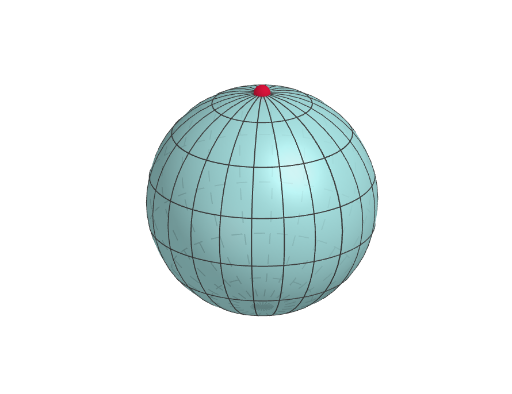
This example demonstrates how to construct smooth surfaces using polygons and coordinate systems, highlighting the connection between geometry and calculus. Key mathematical concepts include surface modeling, coordinate transformations, and geometric construction. The construction involves GeoGebra commands like Surface, Polygon, and Textfield, along with axes and slider animations to adjust parameters. Suitable for high school students or college freshmen learning geometric construction and calculus fundamentals.
GeoGebra Commands & Parameters
Surface((sin(u) * cos(v)), (sin(u) * sin(v)), cos(u), u, 0, u1, v, 0, v1) → dPolygon(C, E, F, D) → poly1, c_1, e_1, f, d_1Textfield(u1) → InputBox1
AI Drawing Prompt Reference
Create a smooth 3D surface defined by the parametric coordinates (sin(u)cos(v), sin(u)sin(v), cos(u)). Let u vary from 0 to u1 and v vary from 0 to v1 to form the surface patch. Include polygonal boundary elements on the surface based on the corresponding points used for the construction, so the surface is visually framed by a polygon. Use a text input box that displays u1 so the parameter can be adjusted, and build in this order: first the surface, then the polygon outline, and finally the input control for u1.
The prompt above was compiled from the original drawing commands and is for reference only.