
Slope-Intercept Form Interactive Practice
Loading the math board and drawing, please wait…
In collections
COORDINATE GEOMETRY
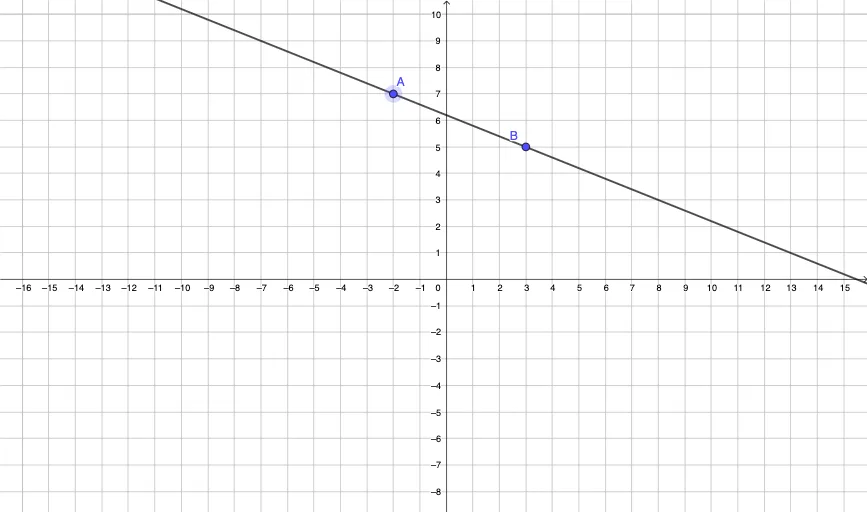
① This example provides an interactive practice environment for understanding the slope-intercept form of a linear equation, y = mx + b, by identifying the slope and y-intercept from a given line. ② The core mathematical concepts include linear functions, slope, y-intercept, and the relationship between an equation and its graph. ③ The construction uses GeoGebra commands such as Line to draw the line, Slope to compute the slope, Intersect to find the y-intercept, and If with FractionText for conditional feedback and fraction display. Interactive buttons (button1, button2) and text objects (text1, text2, text3, text4) are used to create a quiz-like interface, with variables Score and AllCorrect tracking progress. ④ Suitable for middle school or early high school students, this resource is ideal for classroom practice, self-study, or teacher demonstrations in algebra courses.
GeoGebra Commands & Parameters
FractionText(SlopeA) → text1If(c ≠ 0, Text[abs(c)], c ≟ 0, "") → yInterceptIf(c < 0, "-", c > 0, "+") → SignYInterceptLine(A, B) → gIf(A ≟ CorrectA ∨ B ≟ CorrectA, true) → YInterceptOKSlope(g) → MIntersect(xAxis, f) → C
AI Drawing Prompt Reference
Create an interactive coordinate-graph practice for the slope–intercept form of a linear equation y = mx + b. Draw the line determined by two given points, then identify and display its slope and its y-intercept. Mark the y-intercept by finding the intersection of the line with the horizontal axis, and show the slope value from the same line. Add text elements for feedback: when the entered quantities match the expected values, indicate that the y-intercept is correct; format the y-intercept with a sign (plus or minus) and present its magnitude as a fraction.
The prompt above was compiled from the original drawing commands and is for reference only.