
Slope from Two Points by cemccourseware
Loading the math board and drawing, please wait…
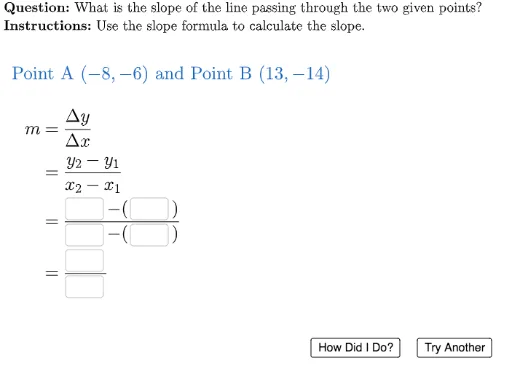
This example demonstrates drawing a line through two points and calculating its slope, involving core math concepts of coordinate geometry. It uses GeoGebra commands like UnicodeToLetter, Random, If, LaTeX, Textfield. Suitable for high school students learning coordinate geometry.
GeoGebra Commands & Parameters
UnicodeToLetter(10007) → xmarkUnicodeToLetter(10003) → cmarkRandom(-15, 15) → x1Random(-15, 14) → x2tempIf(x2temp ≟ x1, x2temp + 1, x2temp) → x2Random(-15, 15) → y1Random(-15, 14) → y2tempIf(y2temp ≟ y1, y2temp + 1, y2temp) → y2LaTeX((((((((("\text{Point A } (" * x1) * ",") * y1) * ") \text{ and Point B } (") * x2) * ",") * y2) * ")")) → labelPointsTextfield(textX1) → ansBoxX1Textfield(textX2) → ansBoxX2Textfield(textY1) → ansBoxY1Textfield(textY2) → ansBoxY2Textfield(textRun) → ansBoxRunTextfield(textRise) → ansBoxRiseLaTeX((((((((((xmark * "\hspace{15}\dfrac{") * y2) * "-(") * y1) * ")}{") * x2) * "-(") * x1) * ")}")) → feedbackPart1LaTeX((((((xmark * "\hspace{15}\dfrac{") * (userY2 - userY1)) * "}{") * (userX2 - userX1)) * "}")) → feedbackPart2LaTeX("\text{\textbf{Question: }What is the slope of the line passing through the two given points?\\\textbf{Instructions: }Use the slope formula to calculate the slope.}") → TEXT