
Sine Wave on Cylinder
Loading the math board and drawing, please wait…
In collections
Sine Wave on Surfaces
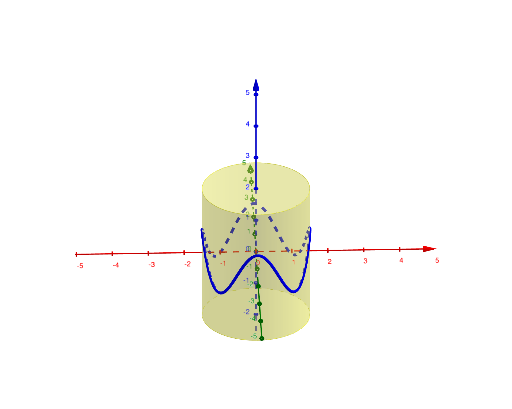
This example demonstrates the generation of a sine wave pattern on the surface of a cylinder. It involves core mathematical concepts such as cylinder, sine function, continuity, geometry, kite, orthocenter, etc. The construction utilizes GeoGebra commands/objects like Point, Cylinder, and CurveCartesian. Suitable for high school and above students studying solid geometry and function graphs.
GeoGebra Commands & Parameters
Point(zAxis) → APoint(zAxis) → BCylinder(A, B, radius) → b, d, e, fCurveCartesian((radius * cos(t)), (radius * sin(t)), (amplitude * cos((n * t))), t, 0, (2 * π)) → g
AI Drawing Prompt Reference
Create a cylinder and draw a continuous sinusoidal wave pattern curve on its surface. First choose two points on the cylinder’s axis to serve as the ends, set the cylinder radius, and form the cylindrical surface. Then construct a 3D parametric curve for t from 0 to 2π: use the radius with cos(t) and sin(t) to place the curve around the cylinder in the x–y direction, and use amplitude·cos(n·t) as the vertical component to create the periodic wave. The result should wrap along the outside of the cylinder as a smooth, continuous wave.
The prompt above was compiled from the original drawing commands and is for reference only.