
Sine Light on Circle II
Loading the math board and drawing, please wait…
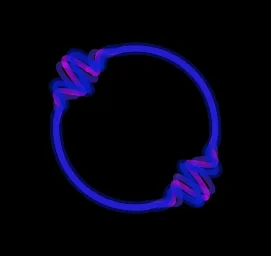
This example demonstrates the sine function on a circle through dynamic rotation and sequence generation, visually illustrating the geometric meaning of the sine wave. Core mathematical concepts include trigonometric functions, circular motion, rotation, and parametric equations. Construction highlights the use of GeoGebra commands like Sequence and Rotate, along with objects such as F2, F1, F0, button1, speed, f, t, thickness, colors, run, s1, s2, s3, g. Suitable for high school mathematics education to understand the relationship between trigonometric functions and geometric shapes, as well as the application of parametric equations.
GeoGebra Commands & Parameters
Sequence(Sequence[random(), i, 1, 3], k, 1, 3) → colorsRotate(CurveCartesian[(f(k, t); k), k, (-π), π], t) → s1Rotate(CurveCartesian[(f(k, t + 0.09); k), k, (-π), π], t) → s2Rotate(CurveCartesian[(f(k, t + 0.18); k), k, (-π), π], t) → s3
AI Drawing Prompt Reference
Draw a sine wave on a circle, demonstrating the geometric meaning of the sine wave through dynamic rotation and sequence generation. First, create three random colors, then rotate three parametric curves around the circle center, each representing a sine wave at different positions on the circle. Adjust the rotation angle and time parameter to observe how the sine wave changes as the circle moves.
The prompt above was compiled from the original drawing commands and is for reference only.