
Sine and Cosine Tracer
Loading the math board and drawing, please wait…
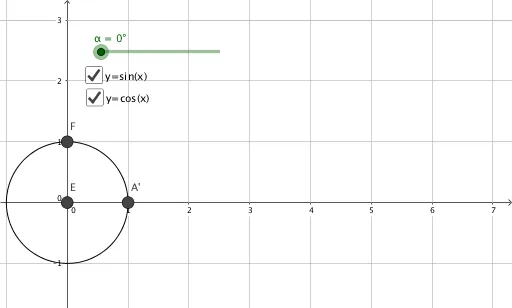
This example demonstrates the trajectories of sine and cosine functions. It involves core concepts of trigonometry, constructed using rotation and circle arcs. Commands like Point, Rotate, and CircleArc are used. Suitable for high school math education, helping students understand the geometric meaning of sine and cosine functions.
GeoGebra Commands & Parameters
Point({1, 0}) → APoint({0, 0}) → BRotate(A, α, B) → A'CircleArc(B, A, A') → dPoint({d, b}) → CPoint({d, 1}) → DPoint({g, b}) → EPoint({g, a}) → F
AI Drawing Prompt Reference
Draw the trajectories of sine and cosine functions. Start by placing a point A to the left of the origin and another point B at the origin. Rotate point A around point B by angle α to get A'. Then, draw an arc d starting from B and passing through A and A'. Finally, place points C and D on arc d, and points E and F vertically aligned with C on arc d.
The prompt above was compiled from the original drawing commands and is for reference only.