
Sine and Cosine Curves from the Unit Circle
Loading the math board and drawing, please wait…
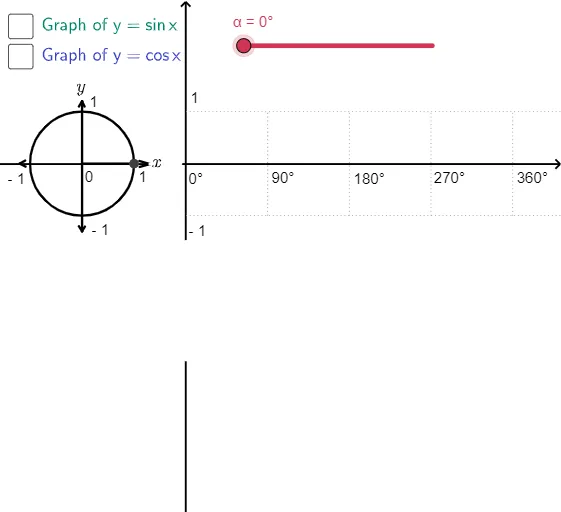
This example demonstrates how the sine and cosine curves can be generated by rotating a point on the unit circle and tracking its coordinates over the angle. It highlights the geometric meaning of trigonometric functions: points on the unit circle parameterize (cos θ, sin θ), producing continuous, periodic graphs. The construction uses a circle with its center, determines the moving point using intersections with angle rays/segments, and applies rotation to advance the angle. Orthogonal/vertical projections are then used to read the x- and y-components corresponding to cos θ and sin θ, which are plotted as the two curves. In the provided construction, key GeoGebra commands and objects include Point (e.g., A, B, C, P), Circle (unit circle), Intersect (computing intersection points), Rotate (rotating around the center), Angle (measuring/constructing θ), Segment (connecting elements), OrthogonalLine (for perpendicular coordinate extraction), and Ray (defining the direction of the angle). Suitable for secondary school through early university use, especially for introducing trig functions via coordinate geometry, visualizing continuity and periodicity, and supporting graphing-based learning.
GeoGebra Commands & Parameters
Point(xAxis) → ACircle(A, 1) → cIntersect(c, xAxis, 2) → BRotate(B, α, A) → PAngle(B, A, P) → βSegment(A, P) → aOrthogonalLine(P, xAxis) → bIntersect(b, xAxis) → CSegment(C, P) → gRay(H, U) → qRay(I, V) → rSegment(V, U) → lSegment(X, W) → mSegment(Z, Y) → nSegment(G, F) → pSegment(J, K) → sSegment(K, O) → tSegment(K, Q) → a_1Segment(M, A_1) → b_1Segment(M, B_1) → c_1Segment(J, C_1) → d_1Segment(J, D_1) → e_1Segment(L, N) → f_1Segment(L, E) → g_1Segment(M, M') → h_1Segment(C, P) → eSegment(A, C) → fPoint(yAxis) → RPoint(yAxis) → TSegment(R, T) → h
AI Drawing Prompt Reference
Draw a unit-circle visualization that connects rotation to sine and cosine. Start with a horizontal axis through the circle’s center, then construct the circle of radius 1 centered at that point. Mark an intersection point of the circle with the horizontal axis as the starting point. Rotate this point about the center by a varying angle to obtain a moving point. Measure the angle defined by the center with the starting point and the moving point. From the moving point drop a perpendicular to the horizontal axis and mark its intersection, using this to represent the horizontal component. Connect the center to the moving point and also connect the perpendicular-foot point to the moving point to show the component geometry. Include the vertical axis as a reference so the moving point’s coordinates along the axes can be read for the sine and cosine curve construction.
The prompt above was compiled from the original drawing commands and is for reference only.