
Simple Spinner
Loading the math board and drawing, please wait…
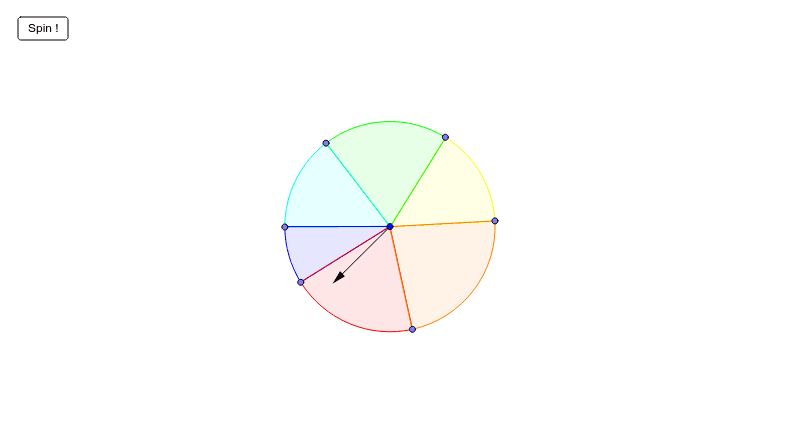
A simple spinner. Click the button for an animated spin. Useful for probability simulations. Users can move the sectors or adapt it. Commands used include RandomUniform, Vector, Circle, Point, CircleSector. Suitable for middle school and above students learning probability statistics.
GeoGebra Commands & Parameters
RandomUniform(3600, 3960) → aVector(A) → uCircle((0, 0), 1.3) → dPoint(d) → BPoint(d) → CPoint(d) → DPoint(d) → EPoint(d) → FPoint(d) → GCircleSector(H, G, B) → eCircleSector(H, B, C) → fCircleSector(H, C, D) → gCircleSector(H, D, F) → hCircleSector(H, F, E) → kCircleSector(H, E, G) → p
AI Drawing Prompt Reference
Draw a circle centered at the origin with a radius of 1.3. Place seven points evenly on the circle and use these points to create five sectors to simulate a simple spinner. Clicking the button will simulate the spinner's rotation.
The prompt above was compiled from the original drawing commands and is for reference only.