
Simple Pendulum Numerical Simulation
Loading the math board and drawing, please wait…
In collections
Pendulum simulations
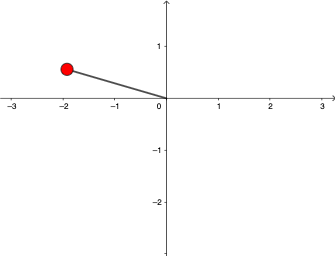
This GeoGebra worksheet demonstrates a simple pendulum by numerically solving its differential equation with NSolveODE. It illustrates core mathematical concepts: trigonometric functions (sin, cos) for converting the pendulum angle into Cartesian coordinates, the numerical solution of a second‑order ODE, and parametric equations xp = L·sinθ, yp = -L·cosθ that trace the bob’s path. Construction details include Length and Segment to draw the rod, sliders for length L, initial angle θ0, initial angular velocity ω0, and gravity g, a button to trigger numerical integration, and the use of NSolveODE to obtain ω(t) and θ(t). The resulting locus is a circular arc. The activity is suitable for high‑school or undergraduate courses in calculus, physics, or mathematics, allowing students to explore ODE solving, trigonometry, and parametric graphing.
GeoGebra Commands & Parameters
NSolveODE({θ', ω'}, 0, {θ0, ω0}, 17.3) → numericalIntegral1, numericalIntegral2Length(numericalIntegral1) → lenSegment((0, 0), A) → f
AI Drawing Prompt Reference
First, draw a simple pendulum model. There is a rod (rod) controlled by a slider for length L. The bob (bob) is at the top of the rod, controlled by angle θ and angular velocity ω. Gravity (g) affects the swing. Use parametric equations xp = L·sinθ, yp = -L·cosθ to draw the path of the bob. The result is a circular arc (circular arc), representing the trajectory of the swing. Construction order: first set the rod length, then set the angle and angular velocity, finally draw the circular arc.
The prompt above was compiled from the original drawing commands and is for reference only.