
Multiple Double Pendulum Simulation
Loading the math board and drawing, please wait…
In collections
Pendulum simulations
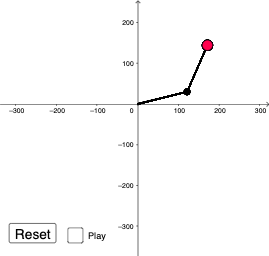
This example demonstrates the synchronized and asynchronous motion of multiple double pendulum systems, showcasing the fascinating chaotic behavior through animation. The core mathematical concepts include trigonometric functions (sine, cosine) for calculating pendulum arm angles and position relationships, parametric equations describing the trajectory of each point, and the analysis of pendulum motion using calculus concepts. Construction details: uses Segment command to draw pendulum arms, incorporates button1 to control animation, employs variables like ri0 and rj0 for length and mass control, tracks bob positions through coordinates xi0, yi0, xj0, yj0, and calculates real-time angle changes ai0, aj0 using trigonometric functions. This example is suitable for high school and college physics and mathematics courses, ideal for demonstrating chaotic phenomena in mechanical vibrations and exploring applications of trigonometric functions in physical models.
GeoGebra Commands & Parameters
Segment((0, 0), Pi0) → li0Segment(Pi0, Pj0) → lj0Segment((0, 0), Pi1) → li1Segment(Pi1, Pj1) → lj1Segment((0, 0), Pi2) → li2Segment(Pi2, Pj2) → lj2Segment((0, 0), Pi3) → li3Segment(Pi3, Pj3) → lj3Segment((0, 0), Pi4) → li4Segment(Pi4, Pj4) → lj4Segment((0, 0), Pi5) → li5Segment(Pi5, Pj5) → lj5Segment((0, 0), Pi6) → li6Segment(Pi6, Pj6) → lj6Segment((0, 0), Pi7) → li7Segment(Pi7, Pj7) → lj7Segment((0, 0), Pi8) → li8Segment(Pi8, Pj8) → lj8Segment((0, 0), Pi9) → li9Segment(Pi9, Pj9) → lj9Segment((0, 0), Pi10) → li10Segment(Pi10, Pj10) → lj10Segment((0, 0), Pi11) → li11Segment(Pi11, Pj11) → lj11Segment((0, 0), Pi12) → li12Segment(Pi12, Pj12) → lj12Segment((0, 0), Pi13) → li13Segment(Pi13, Pj13) → lj13Segment((0, 0), Pi14) → li14Segment(Pi14, Pj14) → lj14Segment((0, 0), Pi15) → li15Segment(Pi15, Pj15) → lj15Segment((0, 0), Pi16) → li16Segment(Pi16, Pj16) → lj16Segment((0, 0), Pi17) → li17Segment(Pi17, Pj17) → lj17Segment((0, 0), Pi18) → li18Segment(Pi18, Pj18) → lj18Segment((0, 0), Pi19) → li19Segment(Pi19, Pj19) → lj19
AI Drawing Prompt Reference
Create an animation of multiple double pendulum systems, all hanging from a common fixed point. Each pendulum consists of two connected segments: the first segment from the fixed point to an intermediate joint, and the second from that joint to a bob. Draw twenty such pendulums, each with slightly different initial angles and lengths, to show synchronized and asynchronous chaotic motion. Use thin lines for the arms and small circles for the bobs. The bobs trace complex paths over time. Include a play button to control the animation.
The prompt above was compiled from the original drawing commands and is for reference only.