
Similar Triangles Side Calculation
Loading the math board and drawing, please wait…
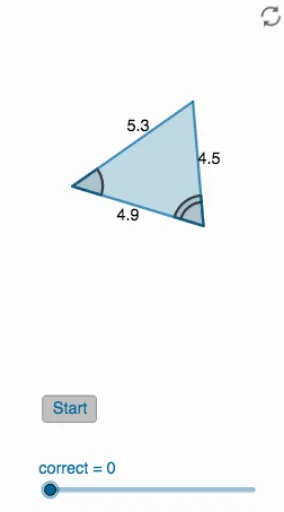
This example demonstrates how to calculate side lengths in similar triangles. It involves core math concepts like triangle similarity criteria, proportionality, linear functions, logarithmic functions, and quadratic functions. Construction highlights include using GeoGebra commands like Polygon, RandomPointIn, Midpoint, Random, Mirror, PointIn, Angle, Shuffle, Element, and Textfield to build and calculate similar triangles. Suitable for high school mathematics education to understand properties and applications of similar triangles.
GeoGebra Commands & Parameters
Polygon(A, B, C, D) → q1, a, b, c, dPolygon(E, F, G, H) → q2, e, f, g, hPolygon(I, J, K, L) → q3, i, j, k, lRandomPointIn(q1) → PRandomPointIn(q2) → QRandomPointIn(q3) → RPolygon(P, Q, R) → t1, r, p, qMidpoint(P, Q) → OMidpoint(Q, R) → SMidpoint(P, R) → TRandom(30, 270) → angleMirror(Rotate[Polygon[Dilate[P, scalefactor], Dilate[Q, scalefactor], Dilate[R, scalefactor]], angle°], x = 0) → t2PointIn(t2) → UPointIn(t2) → VPointIn(t2) → WMidpoint(U, W) → ZMidpoint(W, V) → A_1Midpoint(U, V) → B_1Angle(R, P, Q) → αAngle(V, U, W) → βAngle(Q, R, P) → γAngle(U, W, V) → δShuffle(list1) → list2Element(list2, 1) → s1Element(list2, 2) → s2Element(list2, 3) → s3Textfield(empty1) → InputBox1Textfield(empty2) → InputBox2Textfield(empty3) → InputBox3
AI Drawing Prompt Reference
Draw two quadrilaterals, then randomly select a point from each and connect them to form a third quadrilateral. Calculate the midpoints of each pair of random points and rotate the third quadrilateral by a random angle to get a fourth. Randomly select three points in the fourth quadrilateral, find their midpoints, and label all quadrilaterals and midpoints, finally marking the corresponding angles for each quadrilateral.
The prompt above was compiled from the original drawing commands and is for reference only.