
Similar Rectangles by timteachesmath
Loading the math board and drawing, please wait…
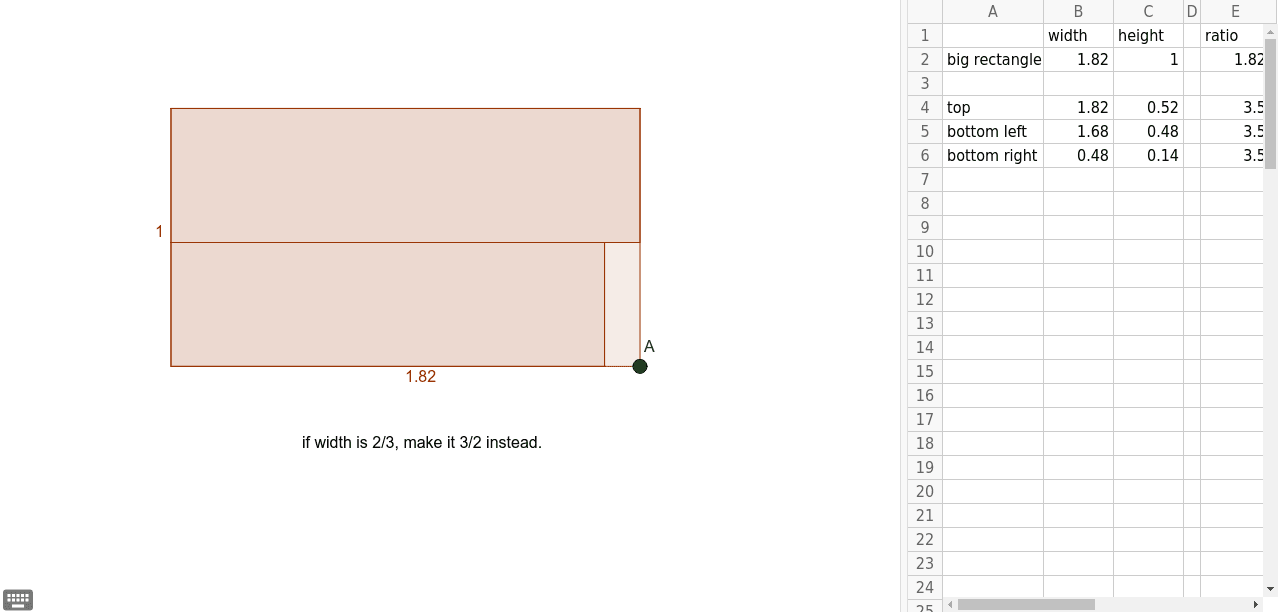
This example demonstrates how to construct similar rectangles using GeoGebra, analyzing their properties. Core math concepts include similar figures, vectors, coordinate geometry, and function graphing. Construction involves commands like Point, Intersect, Polygon. Suitable for high school mathematics teaching to understand similarity and geometric transformations.
GeoGebra Commands & Parameters
Point(Ray[(0, 0), (1, 0)]) → AIntersect(f, g, (0.5196126401570875, 1.818412738442755)) → CPolygon((0, 0), A, A + (0, 1), (0, 1)) → poly1, a, a_1, b, cPolygon((0, 1), A + (0, 1), A + (0, 1 - x(C)), (0, 1 - x(C))) → poly2, d, e, h, iPolygon((0, 0), (bottomleftwidth, 0), (bottomleftwidth, 1 - x(C)), (0, 1 - x(C))) → poly3, j, k, l, m
AI Drawing Prompt Reference
Draw two similar rectangles to demonstrate their construction and similarity. The first rectangle starts at the origin, extends along the x-axis, then upwards and to the right. The second rectangle is based on the height of the first, scaled from a point of intersection with the x-axis, maintaining similarity. Use points and intersection points to define key locations, and polygon tools to draw the rectangles, showing the relationships between corresponding sides and vertices.
The prompt above was compiled from the original drawing commands and is for reference only.