
Easy Menger Sponge
Loading the math board and drawing, please wait…
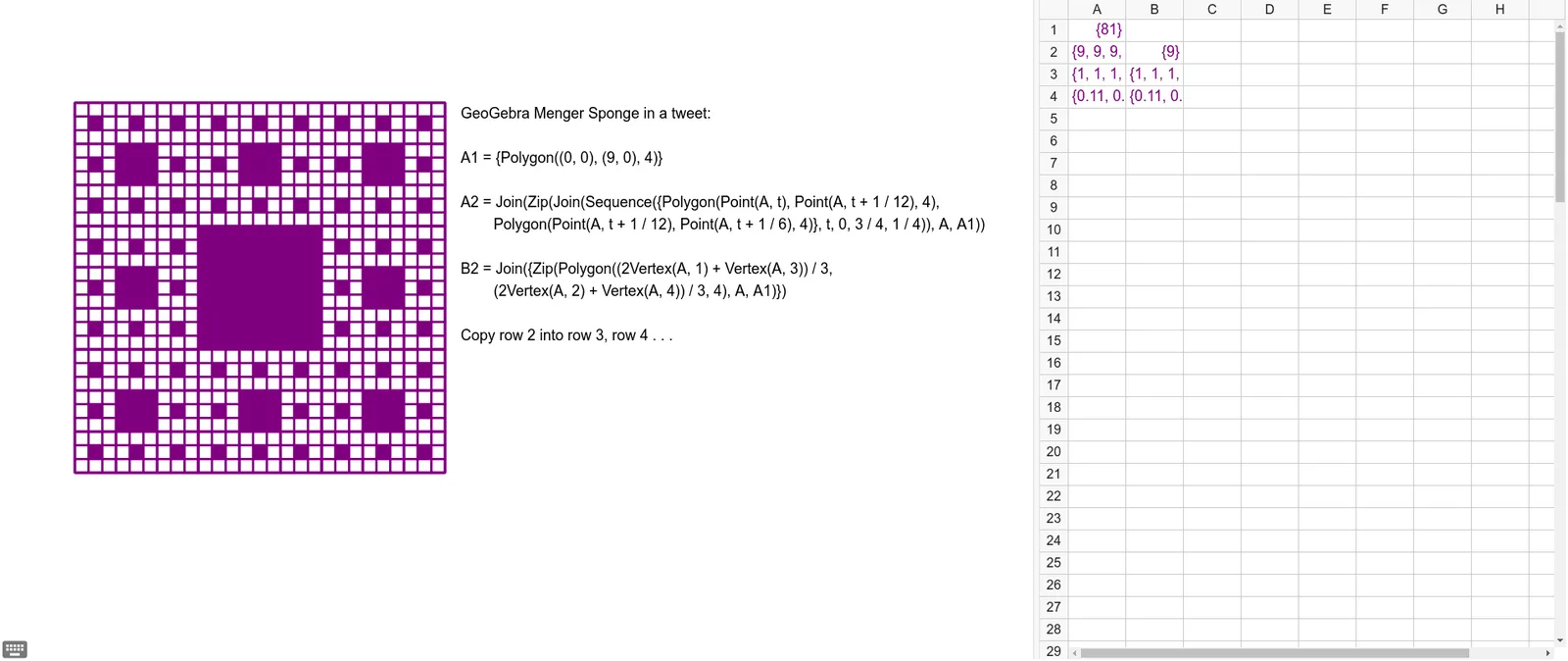
This example demonstrates the construction of a Menger Sponge using GeoGebra's Spreadsheet View, involving iteration and geometric transformations. Key math concepts include fractal geometry, geometry, iteration, and ratios. The construction uses the Join command to connect specific objects and text. Suitable for high school and above students learning about fractals and iterative methods.
GeoGebra Commands & Parameters
Join(Zip[Join[Sequence[{Polygon[Point[A, t], Point[A, t + 1 / 12], 4], Polygon[Point[A, t + 1 / 12], Point[A, t + 1 / 6], 4]}, t, 0, 3 / 4, 1 / 4]], A, A1]) → A2Join({Zip[Polygon[((2 * Vertex[A, 1]) + Vertex[A, 3]) / 3, ((2 * Vertex[A, 2]) + Vertex[A, 4]) / 3, 4], A, A1]}) → B2Join(Zip[Join[Sequence[{Polygon[Point[A, t], Point[A, t + 1 / 12], 4], Polygon[Point[A, t + 1 / 12], Point[A, t + 1 / 6], 4]}, t, 0, 3 / 4, 1 / 4]], A, A2]) → A3Join({Zip[Polygon[((2 * Vertex[A, 1]) + Vertex[A, 3]) / 3, ((2 * Vertex[A, 2]) + Vertex[A, 4]) / 3, 4], A, A2]}) → B3Join(Zip[Join[Sequence[{Polygon[Point[A, t], Point[A, t + 1 / 12], 4], Polygon[Point[A, t + 1 / 12], Point[A, t + 1 / 6], 4]}, t, 0, 3 / 4, 1 / 4]], A, A3]) → A4Join({Zip[Polygon[((2 * Vertex[A, 1]) + Vertex[A, 3]) / 3, ((2 * Vertex[A, 2]) + Vertex[A, 4]) / 3, 4], A, A3]}) → B4
AI Drawing Prompt Reference
Draw a fractal geometric shape to demonstrate the construction of a Menger Sponge through iteration and geometric transformations. Start by creating a square, divide it into nine smaller squares, and remove the central one and the four at the corners. Repeat this process for each remaining smaller square, eventually forming a self-similar 3D structure that highlights fractal and iterative concepts.
The prompt above was compiled from the original drawing commands and is for reference only.