
Similar Quadrilaterals
Loading the math board and drawing, please wait…
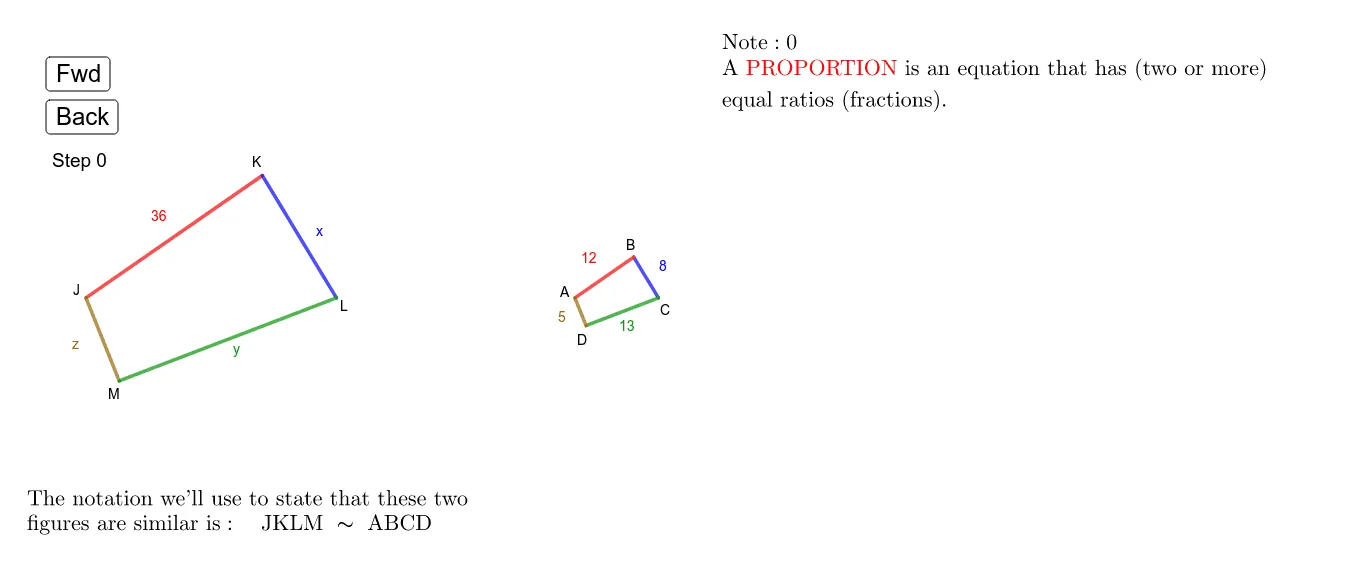
This example demonstrates the concept of similar quadrilaterals. It uses transformations and proportional relationships to show the properties of similar quadrilaterals. The construction involves commands such as point, circle, intersect, and segment in GeoGebra. Suitable for middle school and above students to learn about similarity transformations and geometric construction.
GeoGebra Commands & Parameters
Point(xAxis) → JCircle(J, b_1) → circle_{p1}Intersect(circle_{p1}, xAxis, 2) → LSegment(J, L) → g_1Circle(L, a_1) → circle_{p2}Circle(J, c_1) → circle_{p3}Intersect(circle_{p2}, circle_{p3}, 2) → KSegment(J, K) → fSegment(L, K) → kCircle(J, e_1) → pCircle(L, d_1) → qIntersect(p, q, 2) → MSegment(J, M) → rSegment(M, L) → sPoint(xAxis) → ACircle(A, b) → tIntersect(t, xAxis, 2) → CCircle(C, a) → hCircle(A, c) → c_1Intersect(h, c_1, 2) → BSegment(C, B) → iSegment(B, A) → lSegment(A, C) → mCircle(A, e) → f_1Circle(C, d) → h_1Intersect(f_1, h_1, 2) → DSegment(D, C) → nSegment(A, D) → j
AI Drawing Prompt Reference
Draw two similar quadrilaterals. Start by taking points J and A on the x-axis, drawing a circle centered at J that intersects the x-axis at point L, and connecting J and L. Then draw a circle centered at L that intersects the previous circle at point K, and connect J and K, as well as L and K. Next, draw a circle centered at J that intersects the x-axis at point C, draw a circle centered at C that intersects the previous circle at point B, and connect C and B, as well as B and A. Finally, draw a circle centered at A that intersects the x-axis at point D, draw a circle centered at D that intersects the previous circle at point C, and connect A and D, as well as D and C.
The prompt above was compiled from the original drawing commands and is for reference only.