
Shape Sorter
Loading the math board and drawing, please wait…
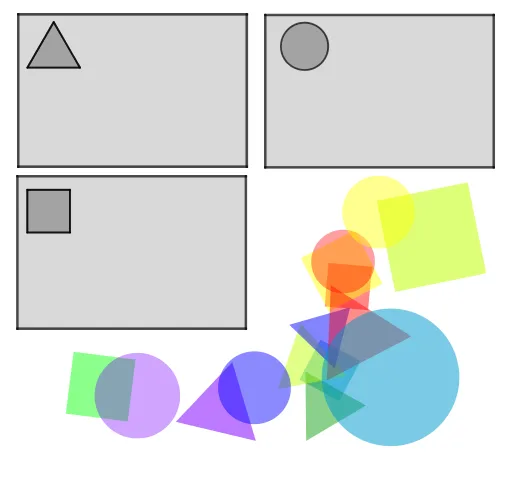
This example demonstrates the classification and analysis of various geometric shapes (circles, polygons) using GeoGebra. It involves core mathematical concepts such as Similar Triangles, Vectors 3D, Linear Programming, Variance, and Bar Charts. The construction leverages commands like Circle, Polygon, and Centroid. Suitable for high school and above, it provides an intuitive understanding of geometric classification, data analysis, and optimization algorithms.
GeoGebra Commands & Parameters
Circle(A, B) → cCircle(C, D) → dCircle(E, F) → eCircle(G, H) → fPolygon(I, J, 4) → poly1, a, b, g, h, K, LPolygon(M, N, 4) → poly2, i, j, k, l, O, PPolygon(Q, R, 4) → poly3, m, n, p, q, S, TPolygon(U, V, 4) → poly4, r, s, t, a_1, W, ZPolygon(A_1, B_1, 4) → poly5, b_1, c_1, d_1, e_1, C_1, D_1Polygon(E_1, F_1, 3) → poly6, f_1, g_1, h_1, G_1Polygon(H_1, I_1, 3) → poly7, i_1, j_1, k_1, J_1Polygon(K_1, L_1, 3) → poly8, l_1, m_1, n_1, M_1Polygon(N_1, O_1, 3) → poly9, p_1, q_1, r_1, P_1Polygon(Q_1, R_1, S_1, T_1) → poly10, q_2, r_2, s_1, t_1Circle(U_1, V_1) → c_2Polygon(W_1, Z_1, A_2, B_2) → poly11, w_1, z_1, a_2, b_2Polygon(C_2, D_2, 4) → poly12, d_2, e_2, f_2, g_2, E_2, F_2Polygon(G_2, H_2, I_2, J_2) → poly13, g_3, h_2, i_2, j_2Polygon(K_2, L_2, 3) → poly14, k_2, l_2, m_2, M_2Circle(N_2, O_2) → p_2Polygon(P_2, Q_2, 3) → poly15, n_2, s_2, t_2, R_2Centroid(poly6) → S_2Centroid(poly7) → V_2Centroid(poly8) → W_2Centroid(poly9) → Z_2Centroid(poly15) → A_3Centroid(poly1) → B_3Centroid(poly2) → C_3Centroid(poly3) → D_3Centroid(poly4) → E_3Centroid(poly5) → F_3