
Shape of St. Peter's Square
Loading the math board and drawing, please wait…
In collections
circles, ovals, ellipses and architecture
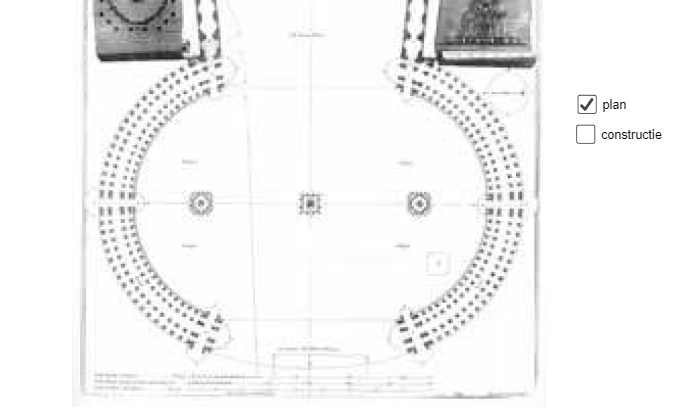
This example demonstrates the geometric shape and design principles of St. Peter's Square, involving concepts like ellipse, square, sequences and series, cone, hypothesis testing, and kite. It uses GeoGebra commands such as Point, LineBisector, Circle, Mirror, Intersect, Line, CircleArc, Ray, and Polygon. Suitable for high school and above mathematics learning and geometric construction teaching.
GeoGebra Commands & Parameters
Point(xAxis) → ELineBisector(C, E) → fLineBisector(E, D) → gCircle(F, E) → cMirror(c, yAxis) → c'Intersect(c, c', 2) → GIntersect(c, c', 1) → HPoint(xAxis) → ILine(F, G) → hLine(I, G) → iLine(I, H) → jLine(H, F) → kIntersect(c', j, 2) → JIntersect(c, k) → K, LIntersect(c', i, 2) → MIntersect(c, h) → N, OCircleArc(F, O, L) → dCircleArc(I, J, M) → eCircleArc(H, L, J) → pCircleArc(G, M, O) → qRay(G, M) → lRay(G, O) → mRay(H, L) → nRay(H, J) → rPolygon(G, I, F) → driehoek1, f_1, g_1, i_1Line(I, F) → sLine(G, H) → tPoint(d) → PRay(F, P) → h_1
AI Drawing Prompt Reference
In a coordinate plane, start with initial construction points on the axes, including E, D, and F, related by line-angle bisectors that define key symmetry directions. Use one point as the center to draw a circle, then mirror that circle across the y-axis to obtain a second circle. Compute the intersection points of the two circles to create several vertices (such as G and H). Connect selected vertices with straight segments to form the boundary structure, and construct rays from key intersection points to set the outward directions of the shape. Create multiple circular arc segments on each circle passing through specified vertices to form the main outer curves. Finally, use the main vertices and lines to compose the polygonal contour and mark arc endpoints.
The prompt above was compiled from the original drawing commands and is for reference only.