
Serlio 2
Loading the math board and drawing, please wait…
In collections
circles, ovals, ellipses and architecture
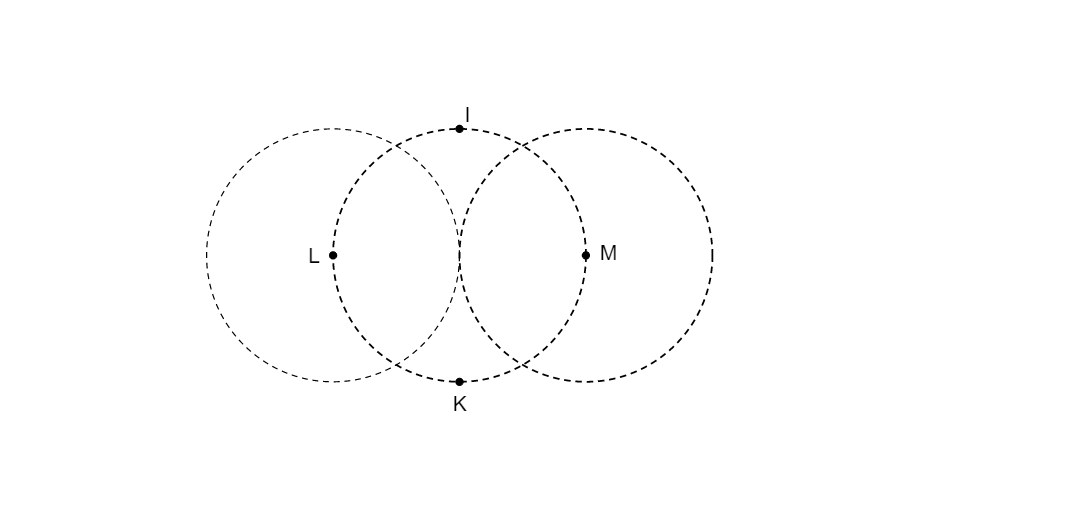
This example demonstrates the geometric construction of Serlio 2. It involves key mathematical concepts such as geometric construction and transformation. Using GeoGebra commands like Point, ConstructionStep, Circle, Intersect, Mirror, etc., complex geometric shapes can be constructed. Suitable for high school geometry courses or math enthusiasts.
GeoGebra Commands & Parameters
Point(Ray[(0, -1), (0, -1) + (0, -1)]) → KConstructionStep() → stapCircle(O, K) → cIntersect(c, xAxis) → A, BCircle(A, O) → dCircle(B, O) → eMirror(K, xAxis) → K'Ray(K', A) → fRay(K', B) → gRay(K, B) → hRay(K, A) → iIntersect(d, i, 2) → CIntersect(e, h, 2) → DIntersect(e, g, 2) → EIntersect(d, f, 2) → FSegment(K, C) → jSegment(K, D) → lSegment(K', F) → mSegment(K', E) → nCircleArc(A, C, F) → kCircleArc(B, E, D) → pCircleArc(K, D, C) → qCircleArc(K', F, E) → r
AI Drawing Prompt Reference
Draw a geometric figure composed of circles and lines. There is a point K at the center, a circle centered at K intersecting the x-axis at points A and B. Point K is mirrored across the x-axis to get K'. Draw rays from K' to A and B, and from K to B and A. Then create arcs connecting these points to form a complex structure.
The prompt above was compiled from the original drawing commands and is for reference only.