
Sections of a Sphere by Steve Phelps
Loading the math board and drawing, please wait…
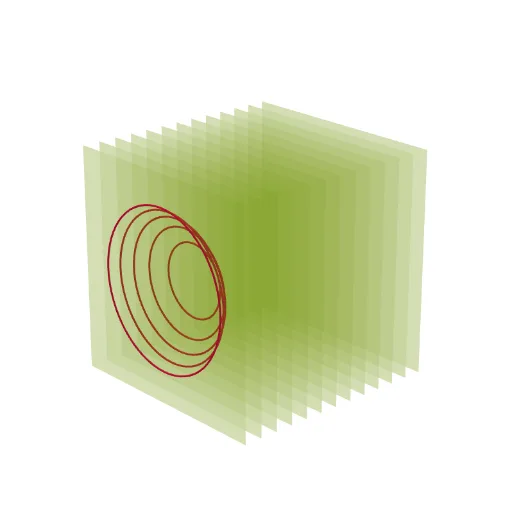
This example demonstrates the sections of a sphere. It involves solid geometry and coordinate geometry. Using GeoGebra commands such as Sphere and IntersectPath, various sections of the sphere can be constructed. Suitable for high school mathematics education and learning.
GeoGebra Commands & Parameters
Sphere((0, n, 0), 5) → aIntersectPath(y = -4, a) → cIntersectPath(y = -3.5, a) → dIntersectPath(y = -3, a) → eIntersectPath(y = -2, a) → fIntersectPath(y = -1, a) → gIntersectPath(y = 0, a) → hIntersectPath(y = 1, a) → kIntersectPath(y = 2, a) → pIntersectPath(y = 3, a) → qIntersectPath(y = 4, a) → rIntersectPath(y = -2.5, a) → sIntersectPath(y = -1.5, a) → tIntersectPath(y = -0.5, a) → c_1IntersectPath(y = 0.5, a) → d_1IntersectPath(y = 1.5, a) → e_1IntersectPath(y = 2.5, a) → f_1IntersectPath(y = 3.5, a) → g_1IntersectPath(y = 4.5, a) → h_1IntersectPath(y = -4.5, a) → k_1Sequence(Polygon[(-6, w, -6), (6, w, -6), (6, w, 6), (-6, w, 6)], w, -6, 6) → l1IntersectPath(y = -5.5, a) → p_1IntersectPath(y = -6, a) → q_1IntersectPath(y = -5, a) → r_1IntersectPath(y = 5.5, a) → s_1IntersectPath(y = 5, a) → t_1IntersectPath(y = 6, a) → c_2
AI Drawing Prompt Reference
Draw a sphere and show its intersections with multiple horizontal planes at different heights, creating a series of circular cross-sections. Add two vertical squares on the left and right sides of the sphere, with their bases touching the bottom and top of the sphere.
The prompt above was compiled from the original drawing commands and is for reference only.