
Sections of a Cube by Anthony OR 柯志明
Loading the math board and drawing, please wait…
In collections
Area, Surface Area, Volume, Cross Section, 3D
3D Geometry & Cross Sections
Sections of 3D Shapes
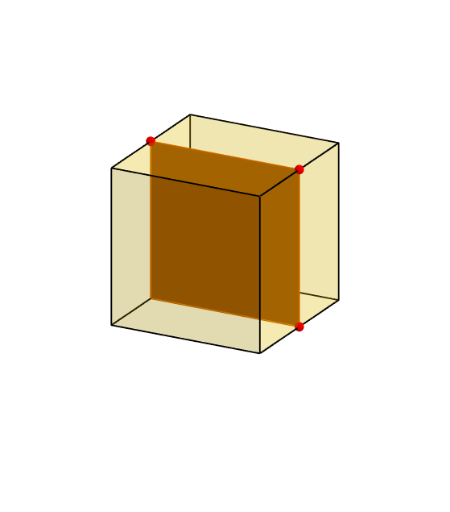
This example demonstrates different sections of a cube. It involves core concepts of polygons and solid geometry. Using GeoGebra commands such as Cube, Polygon, PointIn, etc., the construction of a cube and its sections is illustrated. Suitable for middle and high school students learning solid geometry.
GeoGebra Commands & Parameters
Cube((-1.5, -1.5, 0), (1.5, -1.5, 0), xOyPlane) → m, M, face4, face5, face6, edge1, edge2, edge3, edge4, edge5, edge6, edge7, N, edge8, edge9, edge10, edge11, edge12, Q, R, S, T, face1, face2, face3Polygon(B + (-2, -2), B + (2, -2), B + (2, 2), B + (-2, 2)) → poly3, e, f, g, iPointIn(poly3) → CTranslate((0, 0, 0), Vector[B, C]) → APolygon(A + (-4, -4), A + (4, -4), A + (4, 4), A + (-4, 4)) → poly1, a, b, c, dRotate(Rotate[Translate[poly1, Vector[A, A + (0, 0, h)]], (90° * s), A + (0, 0, h), yAxis], (90° * t), A, zAxis) → poly2Rotate(D, 120°, (0, 0, 0)) → EPolygon(D, E, 3, xOyPlane) → poly4, j, k, l, FPoint(list1) → GPoint(list2) → HPoint(list3) → IPlane(G, I, H) → nIntersectPath(n, m) → poly6, poly5, V, p, q, r, a_1, b_1, c_1, e_1, f_1, poly7, K, L_1, O, P, J, L, URotate(m, 0, zAxis) → m'Rotate(m, 0, zAxis) → m'_1OrthogonalLine(A, n) → d_1
AI Drawing Prompt Reference
Draw a cube and illustrate its different sections. First, construct the cube, then create sections by drawing polygons on its surface. Next, translate and rotate a polygon along a vector to form another section. Determine the intersection lines between the sections and the cube using points and lines. Finally, rotate the cube around an axis and draw the intersection lines with the sections to show cross-sections from various angles.
The prompt above was compiled from the original drawing commands and is for reference only.