
Rotational Symmetry with 4 Shapes
Loading the math board and drawing, please wait…
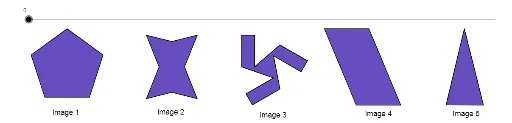
This example demonstrates rotational symmetry using four shapes. It involves core math concepts like symmetry, rotation transformation, and polygon construction. Key GeoGebra commands used include Polygon, Segment, Rotate, Midpoint, Line, Intersect, and OrthogonalLine. Suitable for middle school students and above to learn geometric transformations and symmetry, or for educational demonstrations.
GeoGebra Commands & Parameters
Polygon(A, B, 5) → poly1, a, b, c, d, e, C, D, EPolygon(F, N, G, M, H, O, J, L) → poly2, f, n, g, m, h, o, j, lSegment(I, K) → iSegment(K, P) → kSegment(P, Q) → pRotate(K, 240°, R) → K'Rotate(P, 240°, R) → P'Segment(K', P') → k'Rotate(K', 240°, R) → K''Rotate(P', 240°, R) → P''Segment(K'', P'') → k''Rotate(P, 240°, R) → P'_1Rotate(Q, 240°, R) → Q'Segment(P'_1, Q') → p'Rotate(I, 120°, R) → I'Rotate(K, 120°, R) → K'_1Segment(I', K'_1) → i'Rotate(I, 240°, R) → I'_1Rotate(K, 240°, R) → K'_2Segment(I'_1, K'_2) → i'_1Rotate(P, 120°, R) → P'_2Rotate(Q, 120°, R) → Q'_1Segment(P'_2, Q'_1) → p'_1Segment(I, Q'_1) → qSegment(Q, I'_1) → rSegment(Q', I') → sPolygon(K, P, Q'_1, I, Q, I'_1, K', P', Q', I', K'', P'') → poly3, k_1, p'', q'_1, i_1, p_1, q_1, i'_2, k'_1, p'_2, q', i'_3, k''_1Polygon(S, T, U, V) → poly4, s_1, t, u, vMidpoint(N, O) → WMidpoint(S, T) → ZMidpoint(S, V) → A_1Line(A_1, s_1) → a_1Line(Z, t) → b_1Intersect(a_1, b_1) → B_1OrthogonalLine(D, a) → c_1OrthogonalLine(C, e) → d_1Intersect(c_1, d_1) → C_1Rotate(poly1, w°, C_1) → poly1'Rotate(F, w°, W) → F'Rotate(N, w°, W) → N'Rotate(G, w°, W) → G'Rotate(M, w°, W) → M'Rotate(H, w°, W) → H'Rotate(O, w°, W) → O'Rotate(J, w°, W) → J'Rotate(L, w°, W) → L'Polygon(F', N', G', M', H', O', J', L') → poly2', f', n', g', m', h', o', j', l'Rotate(K, w°, R) → K'_3Rotate(P, w°, R) → P'_3Rotate(Q, w°, R) → Q'_2Rotate(I'_1, w°, R) → D_1Rotate(K', w°, R) → K''_1Rotate(P', w°, R) → P''_1Rotate(Q', w°, R) → Q''Rotate(I', w°, R) → I''Rotate(K'', w°, R) → K'''Rotate(P'', w°, R) → P'''Rotate(Q'_1, w°, R) → E_1Rotate(I, w°, R) → I'_2Polygon(K'_3, P'_3, E_1, I'_2, Q'_2, D_1, K''_1, P''_1, Q'', I'', K''', P''') → poly3', k'_3, p''', e_1, i'_4, p'_3, q'_2, d_2, k''_2, p''_1, q'', i'', k'''Rotate(S, w°, B_1) → S'Rotate(T, w°, B_1) → T'Rotate(U, w°, B_1) → U'Rotate(V, w°, B_1) → V'Polygon(S', T', U', V') → poly4', s', t', u', v'Polygon(F_1, G_1, H_1) → poly5, h_1, f_1, g_1OrthogonalLine(G_1, g_1) → j_1Intersect(j_1, g_1) → I_1Midpoint(I_1, G_1) → J_1Rotate(F_1, w°, J_1) → K_1Rotate(G_1, w°, J_1) → L_1Rotate(H_1, w°, J_1) → M_1Polygon(K_1, L_1, M_1) → poly5', m_1, k_2, l_1
AI Drawing Prompt Reference
Create a rotational symmetry design with four shapes. Start by drawing two pentagons, then rotate these shapes around a point to create rotational symmetry. Next, draw auxiliary lines and find their intersections. Finally, use these points and lines to construct more shapes and segments, forming a complex symmetric design.
The prompt above was compiled from the original drawing commands and is for reference only.