
Rotation Transformation Demo by Jessica Lampert
Loading the math board and drawing, please wait…
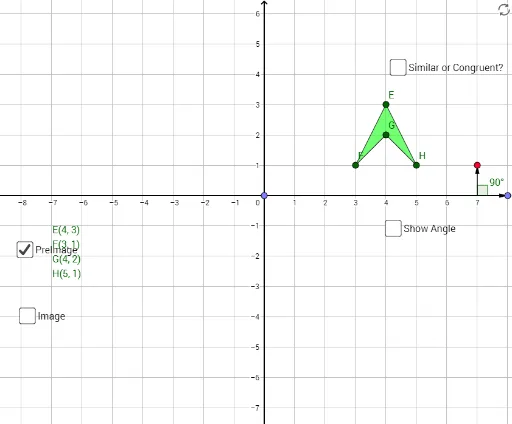
This example demonstrates the rotation transformation of points, segments, and polygons in a 2D plane. It involves core mathematical concepts such as rotation, central symmetry, vectors, and polygon properties. The construction uses GeoGebra commands/objects like Point, Segment, Circle, Angle, Polygon, Rotate, and Vector. Suitable for high school students learning geometric transformations and their applications.
GeoGebra Commands & Parameters
Point(xAxis) → BSegment(A, B) → fCircle(A, B) → cPoint(c) → MoveSegment(A, Move) → gAngle(B, A, Move) → αPoint(xAxis) → DPolygon(E, F, G, H) → poly1, e, f_1, g_1, hRotate(E, α, D) → E'Rotate(F, α, D) → F'Rotate(G, α, D) → G'Rotate(H, α, D) → H'Polygon(E', F', G', H') → poly1', e', f', g', h'Vector(A, Move) → uVector(A, B) → vVector(D, E) → wVector(D, E') → aAngle(E, D, E') → β
AI Drawing Prompt Reference
Draw point B and point A, then connect A and B to form segment f. Construct a circle c with B as the center and move a point on the circle to form segment g. Measure angle BAM as angle α. Take point D on the x-axis and draw quadrilateral EFGH, then rotate EFGH around point D to form E'F'G'H'. Measure vectors u, v, w, and w', and calculate angle β.
The prompt above was compiled from the original drawing commands and is for reference only.