
Rotation Test
Loading the math board and drawing, please wait…
In collections
GCSE Higher Ch8 Transformations & Constructions
Randomised Questions
Transformations of the plane
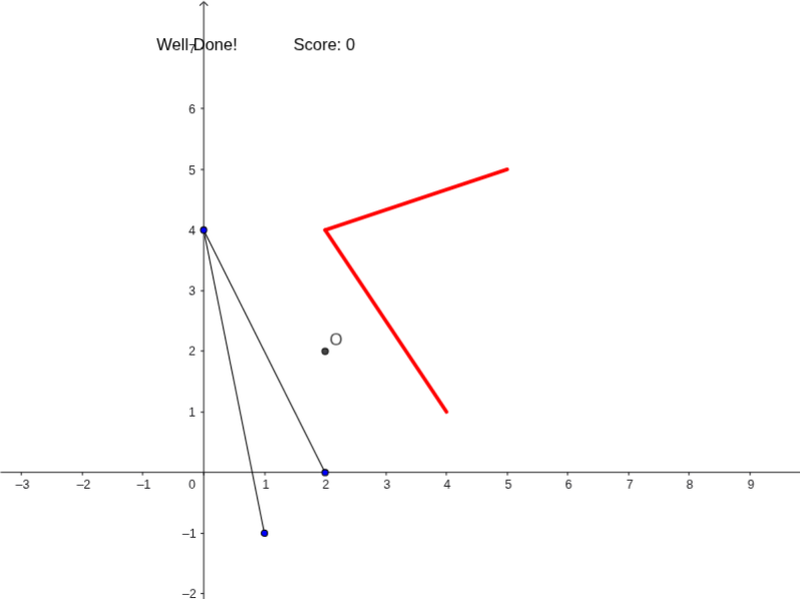
This example demonstrates the concept of rotation. Users can test their understanding of rotation through randomly generated vectors and angles. Key mathematical concepts include vectors and rotation. The Rotate command in GeoGebra is used for the rotation operation. Suitable for middle school and above students or teachers for teaching and self-testing.
GeoGebra Commands & Parameters
RandomElement({(2, 3), (3, 3), (3, 2), (1, 3)}) → DRandom(1, 3) → iElement({90*°, 270*°, 180*°}, i) → αSequence(Sequence[(i, j), i, 1, 5], j, 1, 5) → list1Flatten(list1) → list2Shuffle(list2) → list3Take(list3, 3, 3) → list6Point(list6) → AFirst(list3, 1) → list4Take(list3, 2, 2) → list5Point(list6) → CPoint(list5) → BLine(A, B) → lineABSegment(A, B) → aSegment(E, F) → dSegment(F, G) → eRandomElement({(2, 2), (2.5, 2.5)}) → ORotate(B, α, O) → B'If(Distance[C, lineAB] ≟ 0, C + (sgn(x(lineAB)), sgn(y(lineAB))), C) → CCRotate(CC, α, O) → C'Segment(B', C') → b'Rotate(A, α, O) → A'Segment(B', A') → fSegment(B, CC) → bDistance(C, Line[A, B]) → hElement({"90° anticlockwise", "90° clockwise", "180°"}, i) → text2
AI Drawing Prompt Reference
Draw a geometric demonstration of vectors and rotation. Randomly generate a vector, select a point as the rotation center, and choose a random angle for rotation. Show the original vector, rotation center, rotated vector, and path, with different colors for distinction. Finally, label the rotation angle and direction.
The prompt above was compiled from the original drawing commands and is for reference only.