
Rotation of Cube and Octahedron
Loading the math board and drawing, please wait…
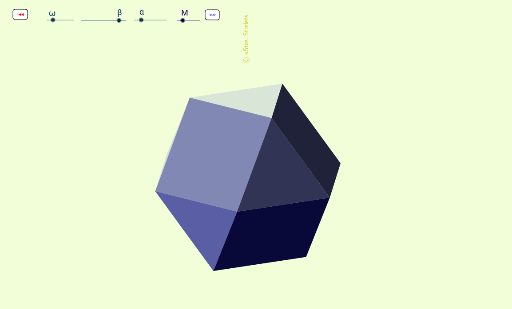
This example demonstrates the rotation of a cube and an octahedron. Key mathematical concepts include solid geometry and rotation. Using commands like RotateText, Distance, Polygon, Midpoint, Area, etc., the rotation animation of the cube and octahedron can be constructed. Suitable for high school mathematics education and students learning solid geometry.
GeoGebra Commands & Parameters
RotateText("\copyright uStas\;\;Strelets", 90°) → надпись24Distance(A_5, B_5) → bPolygon(A_5, B_5, 6) → многоугольник1, a_5, F_5, b_5, a, f, g, j, C_5, D_5, E_5Midpoint(A_5, D_5) → O_3Area(A_5, B_5, C_5, D_5, E_5, F_5) → w_1OrthogonalLine(О, j) → cIntersect(j, c) → HDistance(A_5, B_5) → dPoint(c) → IMidpoint(E_5, B_5) → LSegment(E_5, A_5) → lOrthogonalLine(L, j) → mIntersect(m, l) → MSegment(D_5, B_5) → nOrthogonalLine(L, b_5) → qIntersect(n, q) → NOrthogonalLine(L, f) → rSegment(F_5, D_5) → a_1Intersect(r, a_1) → PPolygon(M, P, N) → многоугольник2, n_1, m_2, p_1Distance(L, N) → расстояниеLNDistance(L, N) → uPolygon(A, J, K, B) → многоугольник4, a_2, j_2, k_2, b_1Polygon(B, C, K) → многоугольник5, k_4, b_2, c_1Polygon(F, J, A) → многоугольник6, a_3, f_1, j_4Polygon(E, Q, J, F) → многоугольник7, e_1, q_2, j_5, f_2Polygon(D, Q, E) → многоугольник8, e_2, d_1, q_3Polygon(C, K, Q, D) → многоугольник9, c_2, k_5, q_4, d_2Rotate(M, 60°, L) → M_4Rotate(P, 60°, L) → P_4Rotate(N, 60°, L) → N_4Polygon(M_4, P_4, N_4) → многоугольник2', n', m', p'Polygon(R, B, C, T) → многоугольник3, r_1, b_3, c_3, t_1Polygon(T, D, C) → многоугольник10, c_4, t_2, d_3Polygon(R, A, B) → многоугольник11, b_4, r_2, a_4Polygon(U, F, A, R) → многоугольник12, u_2, f_3, a_6, r_3Polygon(U, E, F) → многоугольник13, f_4, u_3, e_3Polygon(T, D, E, U) → многоугольник14, t_3, d_4, e_4, u_4Polygon(Q, J, K) → многоугольник15, k_1, q_1, j_1
AI Drawing Prompt Reference
Draw a rotation animation of a cube and an octahedron. Start by drawing the six faces of the cube and the eight faces of the octahedron. Then, rotate these faces around the center points of the cube and octahedron to show their rotation effects.
The prompt above was compiled from the original drawing commands and is for reference only.