
Rotation in Cartesian Plane by Anthony OR 柯志明
Loading the math board and drawing, please wait…
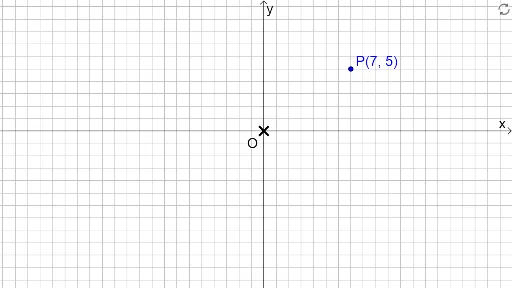
This example demonstrates how to perform point rotation in the Cartesian plane. The core mathematical concepts involved include coordinates, rotation, area, three-dimensional vectors, linear functions, addition, and geometric mean. The construction utilizes GeoGebra commands such as DynamicCoordinates, Point, Rotate, CircleArc, Angle, Polygon, and If to achieve point rotation, circle arc drawing, angle measurement, and polygon construction. It is suitable for high school students learning analytical geometry and geometric transformations.
GeoGebra Commands & Parameters
DynamicCoordinates(P0, round(x(P0)), round(y(P0))) → PPoint(yAxis) → ORotate(P, 360° - δ, O) → R4'Rotate(P, 270° + δ, O) → R4CircleArc(O, R4, R4') → c4Rotate(P, 180° + δ, O) → R3Rotate(P, 90° + δ, O) → R2Rotate(P, 270° - δ, O) → R3'CircleArc(O, R3, R3') → c3Rotate(P, 180° - δ, O) → R2'CircleArc(O, R2, R2') → c2Rotate(P, δ, O) → R1Rotate(P, 90° - δ, O) → R1'CircleArc(O, R1, R1') → c1Point(xAxis) → BPoint({P, c1, Rotate[P, 90°, O], c2, Rotate[P, 180°, O], c3, Rotate[P, 270°, O], c4}) → P'Angle(P, O, P') → αRotate(Q, α, O) → Q'_2Polygon(O, Q'_2, P') → t1, p', o, q'Polygon(O, Q, P) → t2, p, o_1, qAngle(P, Q, O) → βAngle(P', Q'_2, O) → γIf(P' ≟ P, false, true) → rotatedAngle(P, O, P') → εCircleArc(O, P, P') → dCircleArc(O, P', P) → eAngle(P', O, P) → ζRotate(Q, ε, O) → Q'
AI Drawing Prompt Reference
Draw a point rotation example in the Cartesian plane, showing the effect of rotating point P around point O by different angles. Include points R1, R2, R3, R4 obtained by rotating P 90°, 180°, 270°, and 360°-δ clockwise around O, along with corresponding arcs. Connect P and P' to form polygons, and label angles α, β, γ, ε, and arcs d, e.
The prompt above was compiled from the original drawing commands and is for reference only.