
Rotation and Geometric Construction: Using GeoGebra to Demonstrate Rotation
Loading the math board and drawing, please wait…
In collections
geometriadinamica.es
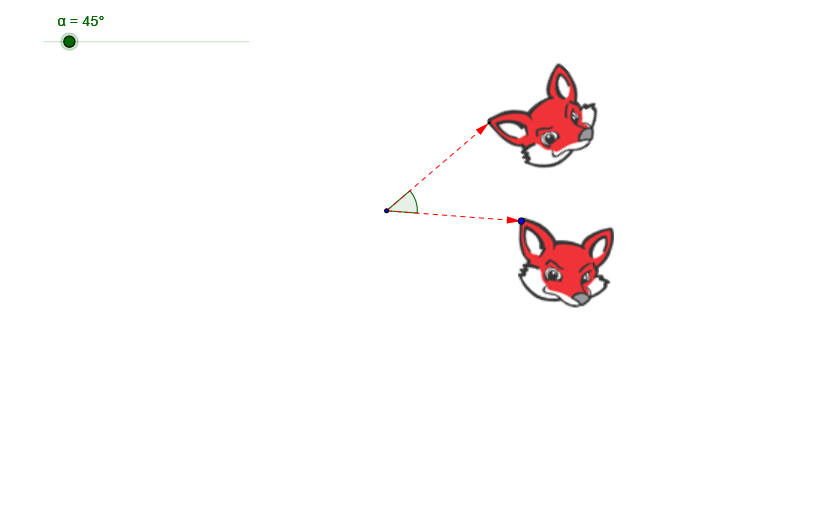
This example demonstrates how to use GeoGebra to perform rotation operations. The key mathematical concepts include vectors, angles, and geometric transformations. The construction involves using the Vector, Rotate, and Angle commands, along with objects A, pic1, α, B, u, pic2, C, v, β. It is suitable for middle or high school mathematics education to understand the principles of rotation and geometric transformations.
GeoGebra Commands & Parameters
Vector(A, B) → uRotate(pic1, α, A) → pic2Rotate(B, α, A) → CVector(A, C) → vAngle(B, A, C) → β
AI Drawing Prompt Reference
In a plane, place points A and B. Draw the vector from A to B as the reference direction u. Choose a rotation angle α about point A, rotate point B around A to obtain point C, and depict the rotated position of the original figure (pic1 to pic2) accordingly. Then form the vector from A to C as v, and mark the angle β at A between the rays AB and AC.
The prompt above was compiled from the original drawing commands and is for reference only.