
Rotation about the Origin Activity: Exploring Polygon Rotations and Intersection
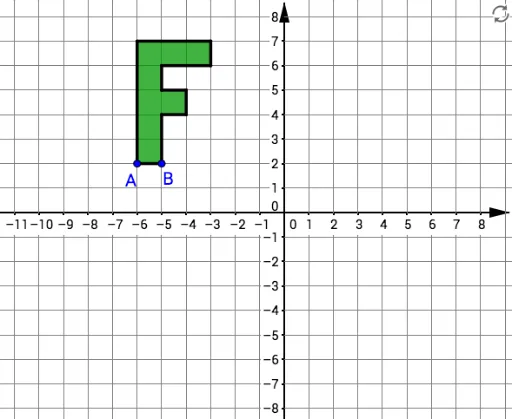
Loading the math board and drawing, please wait…
①This interactive activity demonstrates the rotation of multiple polygons about the origin, showing how shapes and their intersections change dynamically under geometric transformation. ②Core mathematical concepts include rotation as a geometric transformation, the origin as the center of rotation, rotation angles, vertex coordinate changes, and intersections between original and rotated figures, with connections to complex numbers and coordinate geometry. ③Construction highlights: using GeoGebra commands such as Polygon to create polygons (poly1 to poly6), Rotate to rotate them about the origin, Intersect to find intersection points, and Segment and Angle to construct auxiliary segments and angles; objects include points A, B, C_1, D, E, F, G, H, I, J, K, L and segments f, g, h_2, i, etc., building from simple polygons to complex rotation combinations. ④Suitable for middle or high school geometry classes or math lab activities, helping students understand rotation properties, the effect of rotation angles, and dynamic intersection changes; also useful for teacher demonstrations or student self-exploration.
GeoGebra Commands & Parameters
Polygon(A, B, 4) → poly1, f, g, h_2, i, C_1, DPolygon(D, C_1, 4) → poly2, j, k, l, m, E, FPolygon(F, E, 4) → poly3, n, p, q, r, G, HPolygon(H, G, 4) → poly4, s, t, a, b, I, JPolygon(J, I, 4) → poly5, c, d, e, f_1, K, LPolygon(K, I, 4) → poly6, g_1, h_1, i_1, j_1, M, NPolygon(N, M, 4) → poly7, k_1, l_1, m_1, n_1, O, PPolygon(G, E, 4) → poly8, p_1, q_1, r_1, s_1, Q, RPolygon(A, L, P, O, I, G, R, Q, E, B) → poly9, a_1, b_1, l_2, p_2, o, i_2, g_2, r_2, q_2, e_1Intersect(xAxis, yAxis) → SRotate(A, α, S) → A'Rotate(L, α, S) → L'Rotate(P, α, S) → P'Rotate(O, α, S) → O'Rotate(I, α, S) → I'Rotate(G, α, S) → G'Rotate(R, α, S) → R'Rotate(Q, α, S) → Q'Rotate(E, α, S) → E'Rotate(B, α, S) → B'Polygon(A', L', P', O', I', G', R', Q', E', B') → poly9', a', b', l', p', o', i', g', r', q', e'Rotate(A, β, C) → A''Rotate(L, β, C) → L'_1Rotate(P, β, C) → P'_1Rotate(O, β, C) → O'_1Rotate(I, β, C) → I'_1Rotate(G, β, C) → G'_1Rotate(R, β, C) → R'_1Rotate(Q, β, C) → Q'_1Rotate(E, β, C) → E'_1Rotate(B, β, C) → B''Polygon(A'', L'_1, P'_1, O'_1, I'_1, G'_1, R'_1, Q'_1, E'_1, B'') → poly9'_1, a'_1, b'_1, l'_1, p'_1, o'_1, i'_1, g'_1, r'_1, q'_1, e'_1Segment(B, S) → hSegment(S, B') → t_1Angle(B, S, B') → γSegment(B, C) → c_1Segment(C, B'') → d_1Angle(B, C, B'') → δ
AI Drawing Prompt Reference
Create a polygon rotation activity with the origin as the center. First, draw six squares poly1 to poly6, then rotate them around the origin. Find the intersection points, and construct auxiliary segments and angles. Finally, rotate the original polygons and observe the changes in rotation angles and intersections.
The prompt above was compiled from the original drawing commands and is for reference only.